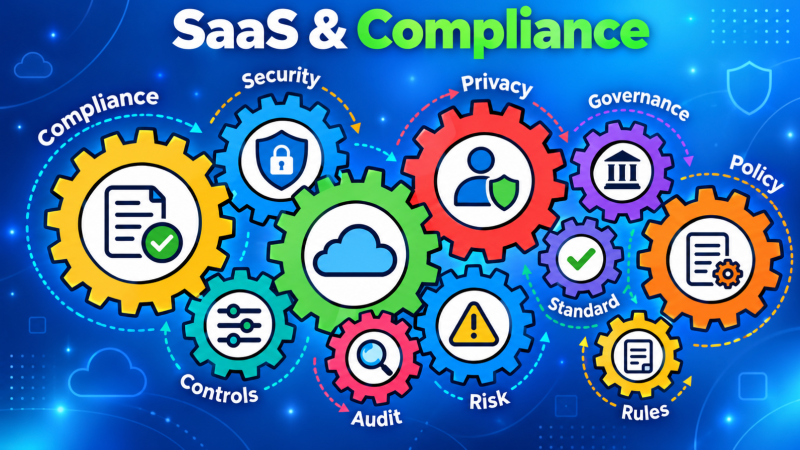
SaaS Compliance in 2026: A Checklist That Actually Helps

A SaaS company can have strong security practices and still struggle to answer a customer’s questionnaire. The team knows multifactor authentication is enabled, but cannot say whether it covers every production administrator. Backups run, but nobody has a recent restore result. A policy exists, but the evidence of its use sits across several tools.

That is the challenge of SaaS compliance: connecting what your company promises to what its systems and people do. A credible program identifies requirements, puts controls in place, and keeps evidence they work. This guide offers a SaaS compliance checklist for daily operations.

What does SaaS compliance mean?

SaaS compliance is the work of meeting applicable legal, contractual and assurance requirements for a cloud-delivered service. Those requirements can address information security, privacy, resilience, payment data or the way a particular customer expects its vendors to operate.

SaaS security is part of that work, but a control’s presence alone does not tell the whole story. If you have a vulnerability scanner, ask which assets it scans, whether findings reach an owner, and what happens when a scan fails. Those answers support risk decisions and audits.

Compliance has a defined scope. A SOC 2 report describes a system and period. An ISO 27001 certificate has an ISMS scope. Privacy obligations depend on the data and jurisdiction. State the requirement and scope when making claims to customers.

Which SaaS compliance frameworks matter in 2026?

Begin with your product, customers, data and commitments. A framework mentioned in a sales call does not automatically apply to every service, while a legal obligation cannot be postponed simply because the company has not begun an audit.

Framework or requirementWhen to assess itWhat the team needs to establish
SOC 2A customer requests independent assurance about a serviceWhich system and Trust Services Criteria are in scope, what controls operate, and whether a Type 1 or Type 2 report meets the request
ISO 27001Customers or your security program call for an independently certified ISMSThe ISMS scope, security risks, selected controls, audit evidence and ongoing management review
GDPR and other privacy lawsThe company processes personal data in a relevant jurisdiction or otherwise falls within a law’s reachIts role in processing, lawful obligations, data flows, contracts, rights requests and incident handling
HIPAAA US healthcare product handles protected health information in circumstances covered by HIPAAWhether the company is a covered entity or business associate, plus applicable safeguards and agreements
PCI DSSPayment card account data is stored, processed or transmitted, or the environment otherwise falls in assessment scopeThe card-data environment, responsibilities, applicable requirements and validation route
ISO 42001The company wants a formal AI management system or customers request oneThe AI systems in scope, related risks, governance decisions and management system evidence

SOC 2 is an attestation report, not a certificate. ISO 27001 is a certifiable standard for an information security management system. They may draw on some of the same access, change and incident controls, but their scope and assessment methods differ. Teams pursuing ISO 27001 certification should plan for its audit stages and evidence requirements.

As of 2026, the current ISO 27001 requirements are in ISO/IEC 27001:2022 with its 2024 amendment; a new “ISO 27001:2026” edition should not be assumed. PCI DSS v4.0.1 is the current version to check when card data is in scope. Confirm applicable versions and obligations with your assessor or qualified adviser before making commitments.

Do not treat the table as a shopping list. A SaaS company selling to a bank may also face customer-specific requirements arising from that bank’s regulatory duties. That does not necessarily make the SaaS provider itself a directly regulated bank. Record the actual contract, jurisdiction, service and data that create the obligation.

Where does your cloud provider’s responsibility end?

Cloud compliance and SaaS compliance overlap, but the shared responsibility boundary matters. Cloud providers operate parts of the stack; their reports do not cover your application or how your staff use it. Your team owns access, data, configuration, logging, changes, incidents and vendors.

Write the boundary down for each service. For managed backups, determine what is included, who sets retention and who tests recovery. For provider encryption, establish who controls keys and application permissions.

An integration can change where customer data flows. Keep vendor management records, contracts, review decisions and a follow-up owner. A provider report does not replace checking your own controls.

How do you build a SaaS compliance program?

1. Set the boundary

Name the product and services in scope, the customer data they handle, the people with access, the infrastructure they depend on and the third parties involved. Map the data journey from collection through storage, sharing, retention and deletion. This gives legal, security and engineering teams the same picture.

Separate binding legal and contractual requirements from frameworks chosen for assurance. If a customer asks for a report you do not have, explain the current position and plan accurately.

2. Assess the gaps that matter

Compare existing practices with the selected requirements. Look for both missing controls and controls whose coverage cannot be shown. Common examples are production accounts outside MFA, new cloud assets missing from logging, overdue access reviews and backups with no recent restore test.

Prioritize by service importance, data, likely impact and deadline. Assign an owner and a target date.

3. Define controls and evidence together

For each important control, record its purpose, scope, owner, operating frequency, evidence source and response when it fails. An access control might use identity records, access review approvals and tickets for removals. A backup control may need the service inventory, job results, failure handling and a restore test.

Map a shared control to multiple applicable requirements where the same operation genuinely supports them. Keep the different scopes and criteria visible: one access review record may help with both ISO 27001 and SOC 2, but it does not prove every obligation under either one. Mapping controls across frameworks can reduce duplicate evidence work.

4. Run the process and follow exceptions

Policies need an operating routine. Decide who reviews alerts, who approves an exception, who can accept residual risk and who verifies a fix. If a test finds an unmanaged account, the evidence should show the affected system, owner, decision, remediation and retest. Closing a ticket without confirming the control works leaves the original question open.

Set review intervals that fit the risk and the requirement. A fast-changing production environment needs a different operating rhythm from an infrequently used archive. Avoid promising that every check is “real time” if the source only refreshes daily or requires manual review.

5. Prepare for assurance and keep improving

An assessor may sample evidence across a defined period. Collect it while the work happens, with dates and context, rather than rebuilding the story just before an audit. For SOC 2, agree on the system boundary and the criteria with the independent auditor. For ISO 27001, maintain the ISMS, internal audit, management review and corrective action process within the certified scope.

After an assessment, keep reviewing changes. New AI features, customer regions, data processors or production systems can change the compliance boundary. The work continues as the service evolves.

The SaaS compliance checklist

Use this checklist with your security, engineering, privacy and business owners. Each “no” or “unknown” answer should lead to an action, not a box ticked in a spreadsheet.

AreaQuestion to answerEvidence to keep
ScopeWhich services, data flows and vendors are in scope?System inventory, data map and scope decisions
RequirementsWhich laws, contracts and frameworks apply to each service?Requirements register and customer commitments
OwnershipDoes every important control have an operator and reviewer?Control inventory and assigned owners
IdentityAre privileged and user access appropriately approved, protected and removed?Identity configuration, reviews and exception records
ChangeAre production changes reviewed and checked for security impact?Change records, approvals and validation results
ExposureAre assets scanned, findings prioritized and fixes verified?Asset coverage, findings and retest results
DataAre retention, deletion and privacy requests handled as promised?Data handling procedures and request records
RecoveryCan critical services be restored within agreed targets?Backup results, recovery tests and follow-up
VendorsDo third-party reviews cover the services and data they actually receive?Contracts, review decisions and monitoring records
IncidentsCan the team detect, investigate and respond to relevant events?Runbooks, alerts, exercises and incident records
AssuranceCan evidence show that controls operated in the relevant period?Linked control evidence and exception history

Adjust the checklist to your scope. A service handling regulated health data needs a different review from one that never receives it.

What has changed for SaaS teams in 2026?

The most practical change is the pace at which the service boundary moves. SaaS teams add integrations, cloud resources and AI features quickly. Compliance records lose value if they describe last quarter’s environment while new assets and data paths remain outside the review.

For AI-enabled products, identify where prompts, uploaded files and model outputs can contain customer information. Review provider terms, retention and access settings, subprocessors and the claims made to customers. Whether a specific AI law or management standard applies depends on the product and jurisdiction; an AI feature does not create identical duties for every SaaS company.

The answer is continuous compliance monitoring: a routine for checking coverage and handling drift. Track the current population of assets, identities and vendors. Connect each control to the systems it should cover. When a source stops reporting or a new asset appears, investigate the gap and record the result. This shift from a one-time snapshot to continuous assurance makes the control picture more useful.

How SPOG.AI supports the work

SPOG.AI brings security, IT and governance context together so teams can connect controls to operational evidence, see gaps in coverage and give remediation a clear owner. For a SaaS provider, that can mean asking whether privileged accounts are protected, whether a critical backup was tested or whether a new cloud asset is included in monitoring.

The goal is a current view that helps the team make decisions and explain them. A dashboard cannot make a legal obligation disappear or issue an audit report. It can help the people responsible see the control state, investigate exceptions and keep a trace of what was fixed. That is how a SaaS compliance checklist becomes a working program.
How Mid-Market Teams Can Make Security Governance Work on a Budget

Your company already has an identity tool, a cloud platform, endpoint protection and a ticketing system. Yet when a customer asks whether every administrator has multifactor authentication, the team spends days gathering screenshots. The tools contain the answer, but no one has checked whether they cover all the right accounts.

This is a common security governance problem for mid-market teams. A small group needs to answer customer questions, prepare for audits, track vendors and help leaders understand risk. Hiring a separate owner for every task is rarely practical. Building a longer policy library does not solve the problem either.

A useful GRC program connects five things: the requirement, the control, the systems it covers, the evidence of how it works and the person who acts when it fails. This article shows how to make those connections with limited time and budget.

What is security governance for a mid-market company?

Security governance is how an organization decides what it must protect, who is responsible and how it checks that its safeguards work. It includes policies and risk reviews, but it also includes daily decisions: removing access after a departure, investigating a failed backup or accepting a temporary exception.

For a lean team, the aim is a routine people can follow. A control owner knows the expected result and evidence source. A risk owner knows when a gap needs a decision. Leadership sees which important services are affected.

The first budget decision is about scope. What must the team do now?

Choose requirements that actually apply

Start with your products, customers, legal entities and locations. Then list the commitments that apply to each. A service company may need a SOC 2 report for a customer contract. Another may choose ISO 27001 certification. A regulated financial institution may have requirements from its supervisor. These are different paths, with different scopes and evidence needs.

Do not pick a framework simply because another company uses it. Equally, do not place an applicable regulatory duty behind a voluntary project because the certification has more marketing value. The team should first establish which obligations are mandatory, which customer promises are already in place and which assurance work it has chosen to pursue.

For SPOG.AI’s focus areas, that may mean ISO 27001, SOC 2, or specific RBI, SAMA or SEBI CSCRF requirements for entities they cover. NCIIPC-related duties concern designated critical information infrastructure or protected systems in India; UAE information assurance requirements depend on the relevant entity and authority. None of these labels applies to every mid-market company. Check the actual scope before mapping a control to it.

A one-page register is enough to begin. Record why each requirement applies, which service it affects, its owner and its next review date.

Reuse a control, but check each obligation

Many requirements ask for related outcomes. An access review may support both an ISO 27001 information security management system and a SOC 2 examination. The team can operate one clear review process and retain one set of source records, then map those records to both requirements where appropriate.

Reuse saves work only when the evidence fits each scope and period. A SOC 2 report may cover a defined service over a particular examination period. An ISO 27001 scope may include different teams or sites. A regulator may ask for a specific approval or reporting step. One access review cannot prove coverage that it never tested.

Build a short control record before making mappings. It should state:

  • What the control is meant to achieve
  • Which people, assets or services it covers
  • Who operates and reviews it
  • What evidence comes from the source system
  • How failures and approved exceptions are handled

Take MFA as an example. “MFA is enabled” is a starting statement. A better control record names the in-scope accounts, checks which ones are protected, identifies exclusions and records what happens to accounts that fail the test. That one verified control can be reused more safely than several copied policy paragraphs.

Give each gap a real owner

Small GRC teams often become the default owners of work they cannot perform. A coordinator can track an overdue access review, but the application owner knows who still needs access. An identity administrator can remove an account. A business leader may need to accept a short-term risk if the access cannot be removed at once.

Write down these decision rights. For a material gap, identify who investigates it, who fixes it and who may approve an exception. If the named owner leaves, appoint a replacement. A shared inbox or a field marked “security team” is not enough when the deadline arrives.

Suppose a contractor’s privileged account remains active after the contract ends. The GRC lead sees the gap. The contract owner confirms the end date. IT disables the account. The service owner checks whether any dependent work will break. The record closes when someone verifies the access is gone, not when an email says the request was sent.

Get more value from the tools you already pay for

Before buying a GRC platform or hiring another analyst, make a list of your current evidence sources. Identity systems show accounts and authentication settings. Cloud systems show configurations. Endpoint tools show protected devices. Ticketing systems show approved changes and assigned fixes. Backup tools show jobs and recovery tests.

Ask two questions of each source: What does it actually show, and what does it miss? A dashboard reporting 100% endpoint coverage may be using the endpoint tool’s own device list. If the company asset inventory includes devices the endpoint tool has never seen, the dashboard can look clean while protection is incomplete.

Do one manual check on a high-value control to learn the data problem. Compare the asset list with the endpoint list, or the privileged account list with PAM coverage. Keep the mismatches. They tell you whether the next investment should be a better inventory, an integration, an owner or a remediation workflow.

Automate the repeatable work

Compliance automation can reduce the time spent exporting reports, requesting screenshots and reminding people about reviews. It works best when a check has a defined scope and an expected result. For example, a daily comparison can flag new privileged accounts that are outside PAM. A scheduled review can show which critical backup jobs failed.

Automate in this order: define the control, confirm the source data, assign the owner, then set up the test and the response. If you connect a tool before agreeing on scope, it may produce a neat chart for the wrong population.

Some decisions still need people. A failed endpoint check on a test laptop and one on a critical production server should not receive the same response simply because the technical signal is identical. Someone must understand the affected service, other safeguards and the time available to fix the gap.

The result of a useful automated check is an action with evidence, a named owner and a way to verify closure. An alert with no route to a decision only creates more work.

Measure whether controls work across the whole scope

A control can exist and still miss important assets. Consider a company with 100 privileged accounts. Its PAM tool covers 94. Four accounts have approved exceptions with review dates. Two remain outside the tool with no approved reason. The team should see the 94% coverage, the four known exceptions and the two unexplained gaps separately.

The next question is which of those two accounts can reach critical systems. That is the difference between counting compliance tasks and understanding risk. The same approach works for MFA, endpoint protection, patching, logging and backups.

ControlSimple statusMore useful answer
MFAEnabledWhich in-scope accounts are protected, and which are not?
Endpoint protectionInstalledWhich devices in the asset inventory are missing an active agent?
BackupsScheduledWhich critical services have a recent successful restore test?
Vulnerability treatmentTickets openWhich exposed, critical assets still need a fix or decision?

Set thresholds based on the risk of the service and the quality of your data. Report the number checked as well as the percentage that passed. If the inventory is incomplete, say so. It is better to show a known blind spot than to report a perfect number that nobody can trust.

Spend carefully when buying help or software

A vendor demo should answer a real question from your environment. Give the vendor one control, its expected population and a sample gap. Ask how the product connects to the source, shows missing assets, assigns the issue, records an exception and proves the fix worked.

Compare the full cost over time. Include the license, implementation, integrations, support, extra modules and the hours your team will still spend reviewing results. A low first-year price may be less useful than a tool that fits the workflows your people can sustain.

Use outside specialists for work where expertise changes the outcome, such as confirming the scope of a regulation or reviewing a certification plan. Keep routine control ownership inside the teams that operate the systems. A consultant can design a review, but the application owner still needs to perform it after the project ends.

Free guidance and existing platform features can help the team get started. Templates are useful as prompts, but policies should describe what your organization actually does. A copied procedure can add work if staff cannot follow it.

Show leadership what the budget achieved

Do not rely on generic claims that automation saves a fixed percentage of audit time. Measure your own baseline. How long did the last access review take? How many auditor questions needed manual evidence gathering? How long did a material control failure remain unassigned?

After changing the process, compare the same measures. Also track overdue actions affecting critical services, exceptions past their review date and controls whose evidence has stopped arriving. This makes the spending case more credible than a count of policies completed or dashboard tiles created.

Start small. One useful management view may show five priority controls, their coverage, their open gaps and the next decision. Add controls when the team can keep the first set current.

How SPOG.AI can help a lean GRC team

SPOG.AI’s governance and risk capabilities connect requirements, controls, owners, evidence and remediation across existing systems. Its continuous control monitoring approach helps show whether a defined control covers the intended environment and where its state has changed.

For a mid-market team, that connection matters when a control fails. Instead of passing a spreadsheet between security, IT and the risk owner, the team can relate the finding to the affected asset and service, record the decision and check the result after a fix. The organization still chooses its requirements, owners and acceptable risk.

How to Roll Out GRC Across an Enterprise

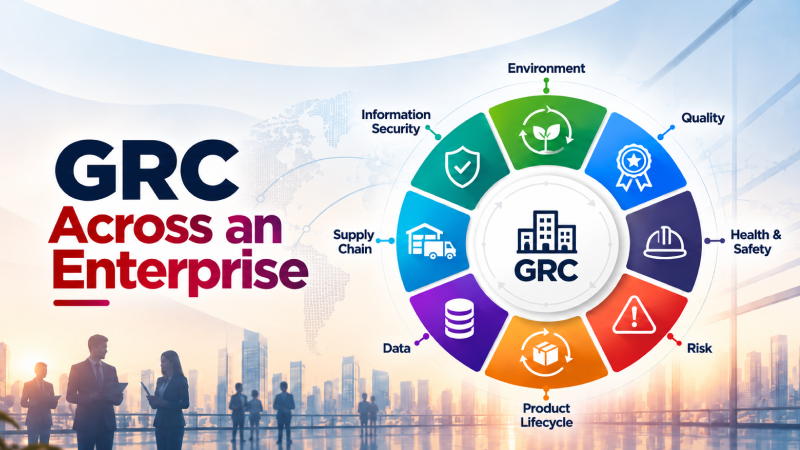
A governance, risk, and compliance (GRC) program that works in one team may falter when it reaches several business units, regions, and technology environments. Control names differ, owners are recorded in different places, and evidence is gathered in incompatible formats. Leadership receives an enterprise-wide status report, but cannot easily trace an important gap to the affected service and the person responsible for a decision.

Enterprise GRC implementation addresses that operating problem. It connects applicable requirements to shared controls, local execution, current evidence, and risk decisions. A platform can help maintain those connections, but the rollout succeeds when teams agree on what must be consistent and who owns the work in each part of the business.

Define the enterprise operating model

Before selecting workflows or configuring a GRC platform, decide which decisions will be made centrally and which belong with the business unit or region. A central GRC team can maintain the control taxonomy, reporting definitions, and minimum evidence standards. Local teams can identify systems in scope, operate controls, investigate failures, and provide the context for exceptions. An authorized risk owner must decide whether a material gap can be accepted.

These roles need to be explicit. Consider an access control that applies to several applications. The central team may define what an access review must demonstrate. An application owner performs the review and resolves inappropriate access. A local risk leader may review a time-limited exception. The enterprise report should show the same control consistently across these teams without obscuring their distinct responsibilities.

Write down four shared definitions before expansion begins: what counts as an in-scope asset or service; how a control is identified; what evidence proves its operation; and how an exception is approved, reviewed, and closed. Teams can use different underlying systems while still reporting against a common model.

Assess variation before standardizing

A useful current-state assessment looks beyond the policy library. Select a few important services in different business units and trace a requirement through its control, operating system, evidence, owner, and recent decisions. Look for differences that matter: one region may have automated identity evidence, while another relies on a manual approval record; one team may map an exception to a control, while another stores it only in a ticket.

Create a gap register that separates three kinds of work. Coverage gaps show where a requirement has no applicable control or the control misses part of the environment. Evidence gaps mean the team cannot verify whether the control operated. Decision gaps mean a failure has no clear owner, approval, or follow-up. This distinction prevents a missing document from being treated as the same problem as a failing security control.

Prioritize the rollout using business criticality, regulatory obligations, exposure, and the ability to improve a process across several teams. The largest department is not always the best pilot. Choose a business area with meaningful complexity, an engaged owner, and evidence sources you can test.

Pilot a complete control cycle

A pilot should prove that the operating model works from requirement to outcome. Select a manageable group of controls and a defined service or business unit. Map the controls to applicable requirements, identify the systems and people in scope, collect current evidence, and run a review. Then take at least one real gap through investigation, decision, action, and verification.

This last step matters. A pilot that stops at a dashboard proves only that data can be displayed. It does not show whether an exception reaches the right decision maker or whether an assigned issue produces a confirmed improvement.

Record where the workflow caused confusion. Did a control owner understand what evidence to provide? Did duplicate asset records make scope unclear? Was an exception visible to both local and central reviewers? Resolve these questions before using the pilot as a template for other units.

Expand with common controls and local context

Map shared controls to each applicable framework or regulation, retaining the exact requirement and scope for each mapping. One verified control record may support several obligations, but that does not mean the obligations are identical or that one piece of evidence is sufficient everywhere. A local requirement may add a different approval, reporting, retention, or evidence condition.

Use an expansion register for each new business unit. It should show the services and assets in scope, applicable requirements, mapped controls, evidence sources, local owners, exceptions, and unresolved differences from the enterprise model. This makes expansion repeatable while exposing work that cannot be copied from the pilot.

Connect source systems in order of their value to the controls being assessed. Identity, cloud, security, IT service, and governance systems can supply operational evidence, but a connection should be checked for completeness and freshness. A connector covering headquarters but missing a subsidiary cannot justify an enterprise-wide assurance claim.

For multinational operations, review how local legal obligations, data handling, and approval authority affect the workflow with the relevant specialists. Share the enterprise control model where it fits; preserve a clear record of local variations where it does not.

Measure adoption and control outcomes

Report more than the number of teams onboarded or policies uploaded. A rollout is progressing when more of the relevant environment is covered by controls with named owners, evidence can be traced to source systems, material exceptions receive timely decisions, and confirmed gaps lead to verified action.

A compact management view can track the proportion of priority controls with an owner, the share with current evidence, material exceptions awaiting approval, and overdue actions affecting critical services. Review individual cases alongside these measures. A high overall score can hide a weak control in a business-critical unit.

Use feedback from control operators as an implementation signal. Repeated requests for the same evidence, confusing ownership transfers, or local spreadsheets that reappear after onboarding can reveal that the common workflow does not fit the work. Fix the cause before expanding to the next group.

What to require from a GRC platform

Evaluate platforms against the operating model you need to run. Can they relate requirements to controls, assets, services, owners, evidence, and exceptions? Can they show the scope and source of evidence? Can local teams act on findings while leadership sees a consistent enterprise view? Can they retain a decision trail and support the existing systems that generate operational data?

Test these questions with a real control and an actual change in scope, such as a newly onboarded application. Ask the vendor to show how the change affects coverage, evidence, ownership, and reporting. A long integration list or a polished dashboard is less informative than a demonstrated end-to-end workflow in your environment.

SPOG.AI’s continuous compliance approach connects requirements, controls, operational evidence, business context, ownership, and exceptions across existing systems. Continuous control monitoring adds a view of control state as connected evidence changes. These capabilities can help an enterprise maintain shared oversight while teams act within their own systems and responsibilities.

Keep the rollout governed after launch

Enterprise GRC implementation continues as the business changes. Assign a standing owner to the control model, set a process for adding a new unit or obligation, and revisit mappings when systems or requirements change. Review whether local exceptions remain valid and whether completed actions restored the intended control outcome.

The goal is a program in which leaders can ask how a material risk is governed and receive an answer grounded in current scope, evidence, ownership, and decisions across the enterprise.

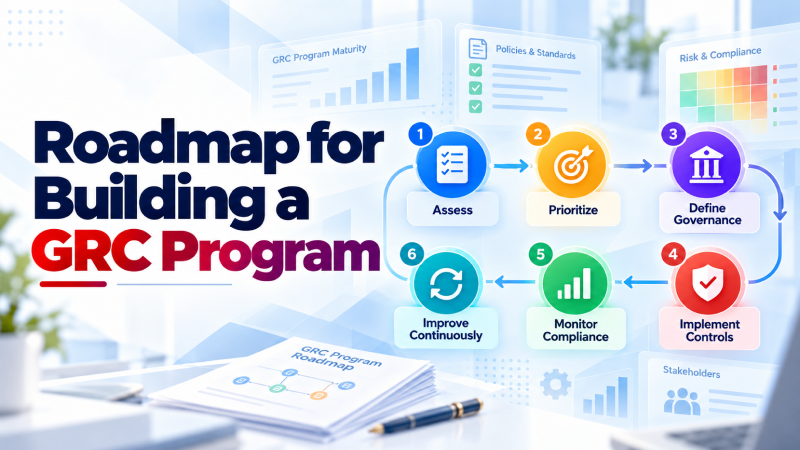
A 90 Day Roadmap for Building a GRC Program

A governance, risk, and compliance (GRC) program becomes useful when requirements lead to controls, controls have owners, and the organization can show how those controls operated. Many teams have policies and a list of obligations but cannot readily connect them to the systems, evidence, and decisions needed to manage risk.

This 90-day GRC implementation roadmap gives security and compliance leaders a manageable starting sequence. It aims to establish an operating routine over one quarter, not to promise certification or complete every control in 90 days. The scope, review frequency, and evidence needed will depend on the business, its obligations, and the maturity of its existing processes.

Decide what the first 90 days must achieve

Start with a specific reason for building the program. It may be a regulatory requirement, a customer assurance request, a board concern, or a gap exposed by an incident. Record the decision the program needs to support and the date by which it must be supported.

Next, define the boundary. Which business services, legal entities, applications, data, suppliers, and infrastructure are in scope? Who can approve an exception? Which requirements apply? If an audit or certification is involved, confirm its actual scope and evidence period with the appropriate adviser or assessor before setting a timetable.

Choose a primary set of requirements for the first implementation cycle, then identify controls that can support related obligations as well. You do not need to pretend other obligations disappear while you focus on the work. The point is to give the team a clear first deliverable and avoid mapping every requirement before any control is tested.

A successful first quarter should leave you with five tangible outputs: a documented scope, a control and owner register, identified evidence sources, a process for handling gaps and exceptions, and a review of whether the priority controls actually operated.

Days 1 to 30: Establish scope and ownership

Weeks 1 and 2: Map the environment. List the important services in scope and the systems, identities, vendors, and teams on which they depend. Bring together existing policies, control descriptions, risk records, audit findings, and relevant tickets. Note what is known, what needs confirmation, and where different systems disagree about ownership or scope.

Select a small number of priority control areas for the first cycle. Identity and access, change management, logging, and recovery are often useful places to investigate, but the selection should follow the actual requirements and risks of your organization. For each area, define the expected behavior in language the operating team can test.

Weeks 3 and 4: Assign decisions and evidence. Name the person responsible for operating each priority control, the source of evidence, the reviewer, and the person authorized to decide what happens when the control falls short. Those roles can sit in different teams. The GRC lead coordinates the program but should not become the default owner of every operational control.

Create a control record with the requirement it supports, scope, owner, expected result, evidence source, review method, and current status. Test this record on a few controls. If the team cannot identify an owner or find credible evidence, flag the gap now. Do not mark a control effective because a policy describes it.

End-of-month check: The team should be able to trace at least its highest-priority requirements to named controls and owners. It should also have a list of unresolved scope and evidence questions, with someone assigned to answer each one.

Days 31 to 60: Make control work repeatable

Weeks 5 and 6: Verify what runs. Ask control owners to demonstrate a recent instance of each priority control. For example, a change-management control might require a sample of production changes showing the approval, implementation record, and any exception. Compare the evidence with the expected behavior and the defined scope. Record whether the control operated, where it did not, and whether the available evidence is sufficient to reach a conclusion.

Define an evidence standard before automating collection. Document the source, period covered, time collected, relevant system, reviewer, and any limitation. If one control supports multiple requirements, retain a clear mapping so the same verified record can be reused appropriately without losing its context.

Weeks 7 and 8: Build the response loop. Set a routine for reviewing failed checks, missing evidence, and exceptions. An issue record should identify the affected control and service, a named owner, the decision required, an agreed date, and the evidence needed to confirm the outcome. Leadership should approve risk acceptance where its authority is required; a technical task being closed should not silently stand in for that decision.

Connect a small number of high-value systems where this reduces repeated manual collection. Identity, cloud, security, and IT workflows can provide current operational evidence. Check the accuracy and coverage of each connection before relying on it for reporting. If a source omits a subsidiary or application, a polished dashboard can still give an incomplete answer.

End-of-month check: The priority controls have a repeatable review method, and material findings have an owner and a recorded next decision. The team knows which evidence is current, which is missing, and which requires human review.

Days 61 to 90: Test and govern the program

Weeks 9 and 10: Challenge the results. Select samples across the in-scope services and test the entire path from requirement to decision. Include recently changed systems and controls with earlier gaps. Ask whether the control covered the intended assets, whether the evidence proves its operation for the relevant period, and whether exceptions were approved and revisited.

Bring in someone independent of the control’s day-to-day operation to review the sample where possible. The exercise may reveal an incomplete asset list, evidence that covers only part of the period, or a finding that was closed without checking the result. Record these as distinct issues so the right team can address each cause.

Weeks 11 to 13: Set the ongoing cadence. Review open gaps and exceptions with owners and decision makers. Publish a concise view of control coverage, evidence status, significant risks, and overdue actions. Agree on how the program will respond when a new service, supplier, or regulation changes its scope. Document what must be reviewed monthly, quarterly, or at another interval appropriate to the control and obligation.

If an external assessment is planned, organize the evidence and confirm the assessor’s requests and period of review. A 90-day implementation can establish credible control operations and identify missing work, but it cannot create a historical evidence record that did not exist.

End-of-quarter check: Leadership can see where controls are working, where assurance is incomplete, who owns the decisions, and what the next cycle will improve.

Which controls should you address first?

There is no universal list of ten controls that makes every organization audit ready. Select the first set using three questions: Does the requirement apply? What could happen if the control fails? Can the organization currently observe whether it works?

Access management, privileged access, change approval, logging, vulnerability management, backup and recovery, incident response, and supplier oversight are common candidates. Their exact design, frequency, evidence, and deadlines must come from the applicable framework, contracts, risk assessment, and system environment. For example, the right log retention period is a scoped requirement and decision, not a single figure that applies to every GRC program.

How automation supports GRC implementation

Automation is most useful once a control’s scope, evidence standard, and owner are clear. It can collect relevant records, identify changes, show missing evidence, and route findings. It should also show where a connection has stopped supplying data or does not cover part of the environment.

The judgment remains with people. A failed check may affect a test system or a critical service. A risk owner may accept a time-limited exception, while an operating team works on a fix. The program needs both the system signal and the business decision, connected by a traceable record.

SPOG.AI’s continuous compliance approach connects requirements, controls, evidence, ownership, and exceptions across existing systems. Its continuous control monitoring capabilities help teams assess the state of controls as operational evidence changes. This can support the later phases of a GRC implementation by making gaps and accountable follow-up visible beyond an audit cycle.

Keep the program useful after day 90

Treat the quarter as the first operating cycle. Extend coverage to other services and requirements using what the team learned from actual control evidence. Review material changes, revisit accepted risks, and check that completed actions improved the control. A GRC program is established when this work has owners and a reliable rhythm, rather than depending on a one-time project team.

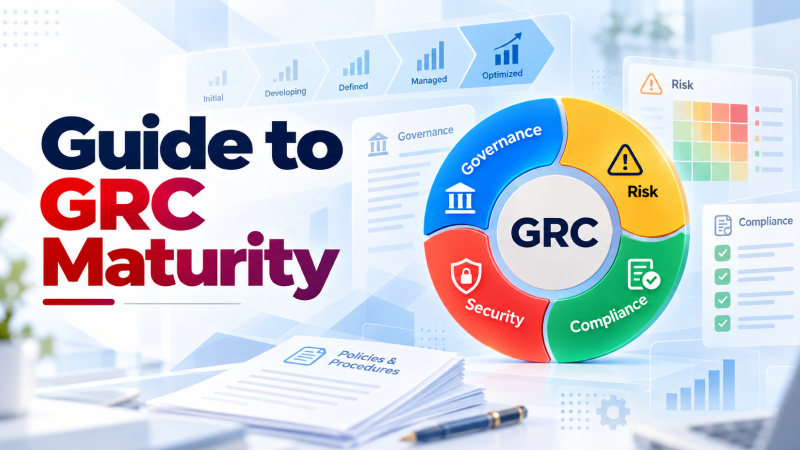
A Practical Guide to GRC Maturity

A governance, risk, and compliance (GRC) program may have approved policies, assigned control owners, and a calendar of audits, yet still struggle to answer a basic question: are the controls working today? A GRC maturity model helps teams examine the distance between a documented requirement and a decision supported by current evidence.

That distinction matters when the organization changes. A new cloud account, a change in access rights, or an additional regulatory obligation can make a once-complete control record outdated. The purpose of a GRC maturity assessment is to find where these changes break the link between requirements, controls, evidence, ownership, and action. The result should be a prioritized improvement plan, not just a score.

What does GRC maturity measure?

GRC maturity describes how reliably an organization can govern risk and demonstrate compliance as its operations change. A low-maturity program may know its obligations but collect evidence only when an audit begins. A more mature program can identify which controls cover an obligation, who owns them, what current evidence says about their operation, and how a gap is handled.

Assess the program across five practical dimensions:

  1. Control clarity. Are requirements translated into specific controls with a defined scope and expected behavior?
  2. Ownership. Can the team identify who operates a control and who accepts a related business risk?
  3. Evidence. Is proof current, traceable to a source system, and reusable where the same control supports several requirements?
  4. Risk decisions. Are exceptions assessed using business context, approved by the right person, and reviewed before they expire?
  5. Response to change. When an asset, service, or control changes, does the team detect the effect and update its assessment?

An organization can be strong in one dimension and weak in another. For example, it may have a complete control library but little visibility into whether those controls cover newly deployed systems. A single enterprise average can conceal that gap.

Five stages of a GRC maturity model

The following stages are a working guide for assessing practices, not a certification or an official industry scale. Score each business area or control family against the behavior you can demonstrate.

StageObservable practiceMost useful next step
1. ReactiveOwners and evidence are assembled after an audit request or incident.Identify critical controls and assign owners.
2. DefinedControls and responsibilities are documented, but execution varies by team.Agree on evidence standards and decision rights.
3. RepeatableTeams follow common review and exception workflows.Reuse mappings and connect evidence to source systems.
4. MeasuredCoverage, control status, evidence freshness, and open exceptions are reviewed regularly.Prioritize gaps using business impact and test the follow-through.
5. AdaptiveChanges to systems and controls prompt timely reassessment and accountable action.Improve weak areas and verify that improvements persist.

The stage of a control can change as the environment changes. A well-run access review process may be repeatable for corporate systems but reactive for a newly acquired subsidiary. Record both the level and the scope being assessed; otherwise, the maturity label has little practical meaning.

How to run a GRC maturity assessment

Choose a limited scope. Start with one important business service, a control family such as identity and access management, or a defined set of regulatory requirements. A narrow scope allows the team to test whether its evidence and handoffs work in practice.

Trace a requirement to an outcome. Pick a control and follow it through the organization. For a backup and recovery requirement, identify the systems in scope, the teams responsible, the backup configuration, recent job results, any recovery test, exceptions, and the person who decides what happens when the control falls short. A policy that requires backups establishes intent; the operating records show what happened.

Review a recent change. Find a system change that could have affected the control. Did anyone notice that a new application was missing from the backup policy? Did the gap reach an owner? Was the response recorded and later verified? This exposes weaknesses that a questionnaire about written procedures may miss.

Score the five dimensions separately. Attach a short explanation and a piece of evidence to each score. If evidence is unavailable, mark the dimension as unverified rather than assuming the control failed or passed. Compare scores across critical services to see where an enterprise-wide improvement is needed and where a local fix is enough.

Agree on the next action. Each material gap should have an owner, a due date, an intended result, and a way to confirm the result. A maturity assessment has value when it changes what the organization does next.

Where GRC engineering fits

GRC engineering applies structured data and workflows to the operating work behind governance, risk, and compliance. It connects the requirement, the control that addresses it, the assets and services in scope, the evidence generated by existing systems, and the people responsible for a decision.

Consider a failed backup job. The monitoring system reports the failure, but that event alone does not explain the compliance or business consequence. The team also needs to know whether the affected system supports a critical service, whether another recovery method exists, which control requirement applies, and who owns the response. Connecting those facts makes the signal useful for a risk decision.

This does not mean automating every judgment. Automation can collect a result, flag missing evidence, or route a task. A control owner still needs to investigate exceptions, and an authorized risk owner still needs to decide whether residual risk is acceptable. Good GRC engineering makes those decisions timely and traceable.

Build an improvement plan from the findings

Start with the dependency that is missing. If controls lack owners, fix ownership before building automated reminders. If teams disagree on what counts as acceptable evidence, define the standard before connecting more tools. If reporting shows many failures but no change in outcomes, examine how issues are assigned, escalated, and verified.

For most programs, a useful order is to define control scope and decision rights, standardize the evidence record, connect relevant operational sources, and then measure whether identified gaps are resolved. Track a small set of indicators: controls without owners, evidence past its review date, material exceptions without approval, and overdue actions on critical services. Review these alongside the underlying cases so the numbers do not hide a serious local weakness.

The goal is not to reach the highest stage everywhere. An organization should invest first where weak controls intersect with important services, significant exposure, or regulatory obligations. Mature GRC is demonstrated by better decisions and a reliable evidence trail when conditions change.

How SPOG.AI supports GRC maturity

SPOG.AI connects requirements, controls, operational evidence, ownership, and business context across existing enterprise systems. Its continuous compliance capabilities support a shared view of control coverage, exceptions, and accountable follow-up. Continuous control monitoring helps teams assess control state as connected evidence changes, while SPOG.AI’s security maturity approach helps identify uneven coverage and effectiveness across the enterprise.

For a GRC team, that connected view can turn a maturity assessment into an ongoing practice: observe the control, understand the affected service, assign the decision, and check whether the action improved the situation.

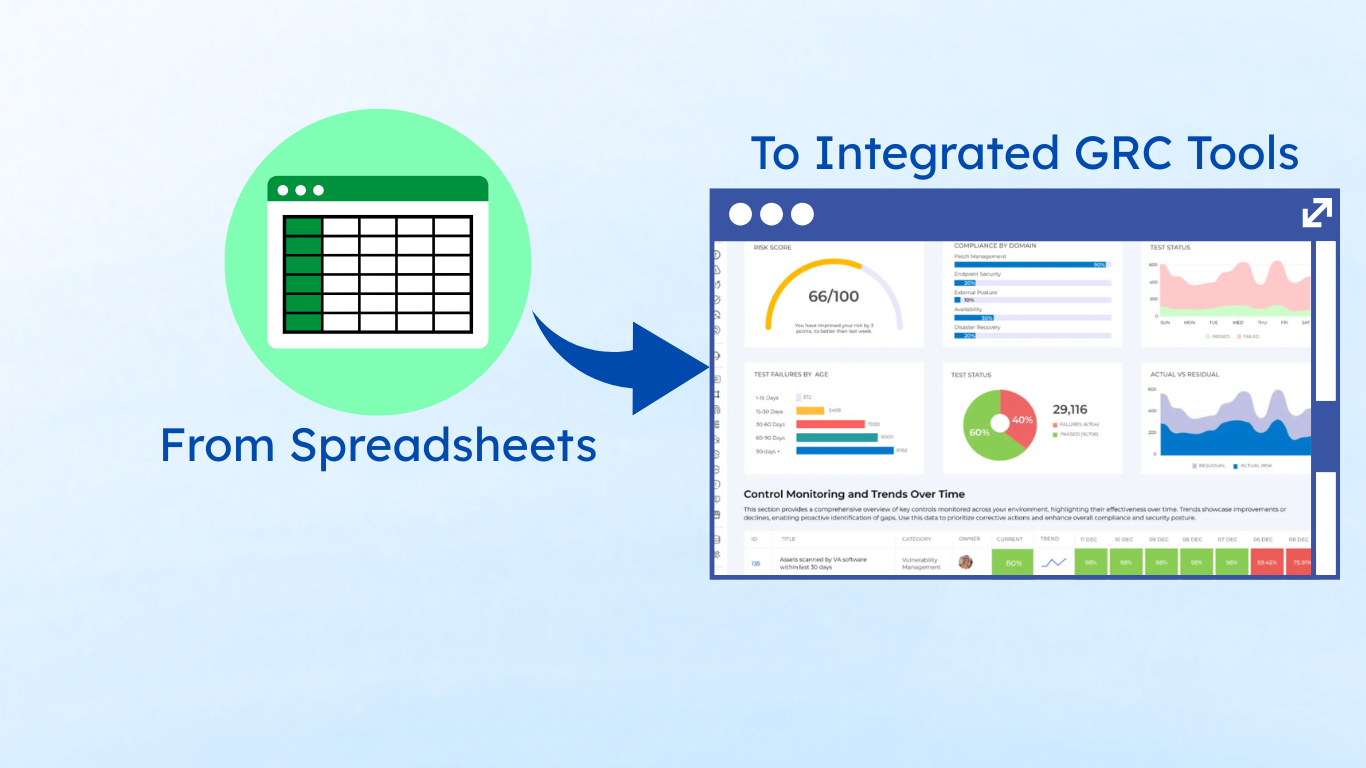
5 Reasons You Need to Move from Spreadsheets to GRC Tools for Compliance Management

For years, spreadsheets have been the go-to tool for managing governance, risk, and compliance (GRC). They’re familiar, easy to set up, and cost nothing more than a license most businesses already own. At first glance, they seem like the simplest way to track policies, controls, risks, and compliance obligations.

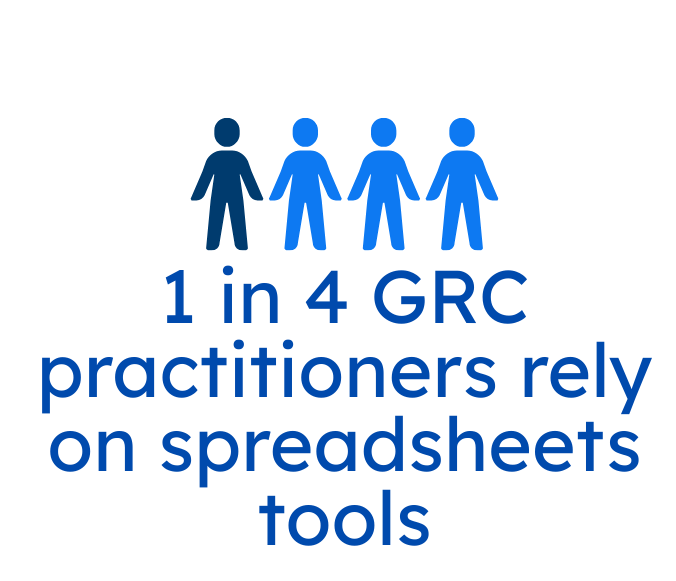
According to a survey curated by Ayoub Fandi, founder of GRC Engineer Podcast and Newsletter, nearly one in four GRC practitioners rely on spreadsheets plus productivity tools like JIRA, Notion, Google Docs, Asana, etc. Several other reports also cite that companies predominantly use spreadsheets for internal audit and compliance management. 

No one doubts Excel’s strength as a business tool. However, when it comes to compliance and risk management—areas that demand precision—its limitations are becoming a growing concern in particular in sectors like BFSI. 

Version conflicts, hidden errors, and limited scalability turn what once seemed like a practical solution into a serious liability. Instead of helping teams stay in control, spreadsheets often create confusion, wasted effort, and even compliance gaps.

That’s where dedicated GRC tools come in. Designed specifically to handle the complexity of modern compliance, these platforms offer automation, transparency, and collaboration features that spreadsheets simply can’t match.

The Spreadsheet Trap: Convenience Today may Cost Consequences Tomorrow

Although Excel remains one of the most widely used business tools, it also carries a track record of expensive errors. High-profile cases have shown how simple mistakes such as copy-paste missteps, inaccurate data, or flawed formulas can create serious problems. 

  1. Metro Bank, UK — Risk-Weighted Assets Misreporting

In 2021, Metro Bank was fined about £5.3 million after errors in its regulatory reporting. They used complex Excel spreadsheets to aggregate data from multiple systems, and a broken link deep in the workbook had caused hundreds of millions of pounds of high-risk exposures to be omitted. This led to materially inaccurate capital calculations and regulatory breaches.

  1. JPMorgan’s “London Whale” scandal – 

A series of faulty formulas in a risk model spreadsheet, combined with manual copy-paste processes, caused the bank to underestimate losses in its synthetic credit portfolio. The error ultimately contributed to more than $6.5 billion in losses and fines.

  1. Fidelity Investment’s missing minus sign – 

A simple transcription error—dropping a negative sign while transferring figures to a spreadsheet—turned a $1.3 billion loss into a gain. This inflated dividend projections by $2.6 billion, forcing the firm to cancel the distribution.

5 Reasons to Ditch Spreadsheets

1. Scalability and Complexity

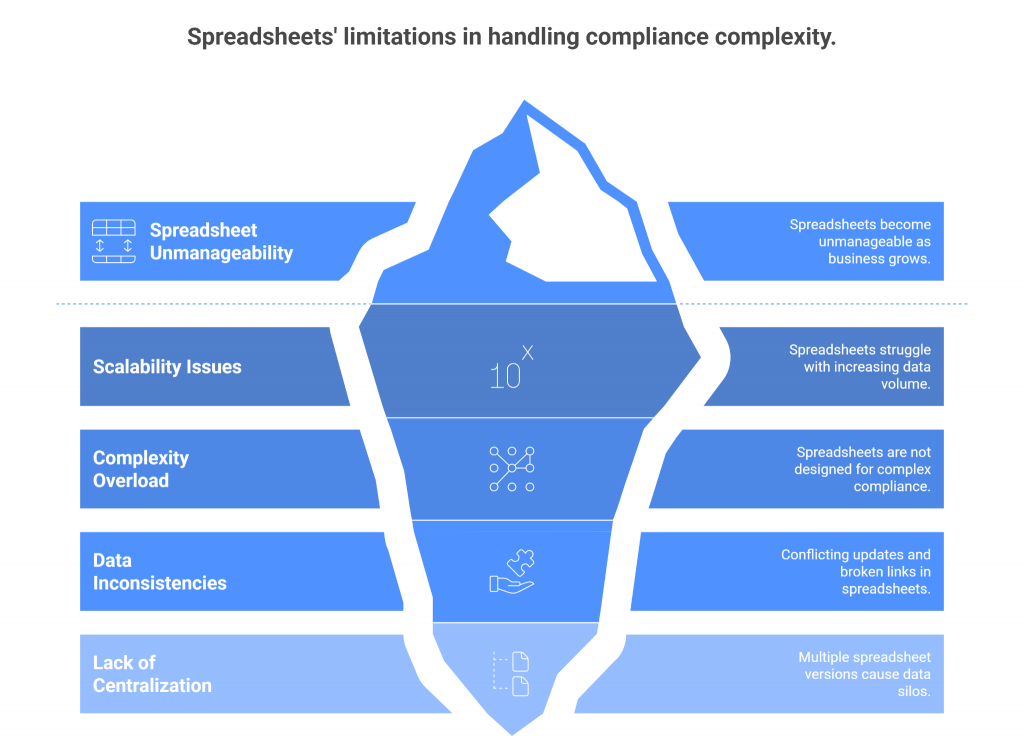
Spreadsheets may work well when an organization is small and compliance requirements are limited, but they quickly become unmanageable as the business grows. What starts as a simple tracker with a handful of tabs can balloon into dozens of versions passed between departments—each with conflicting updates, broken links, and missing information.

The problem is scale. Modern compliance programs don’t just track a few risks; they manage hundreds of controls, multiple regulatory frameworks, third-party assessments, and evolving audit requirements. Spreadsheets were never designed to handle this level of complexity. The more data you add, the more fragile and error-prone they become.

By contrast, dedicated GRC tools are purpose-built to centralize and scale compliance operations. Instead of juggling multiple files, teams work from a single source of truth that updates in real time. Complex frameworks like SOX, GDPR, or PCI DSS can be mapped directly to controls, with built-in workflows that ensure nothing slips through the cracks.

2. Accuracy and Risk Reduction

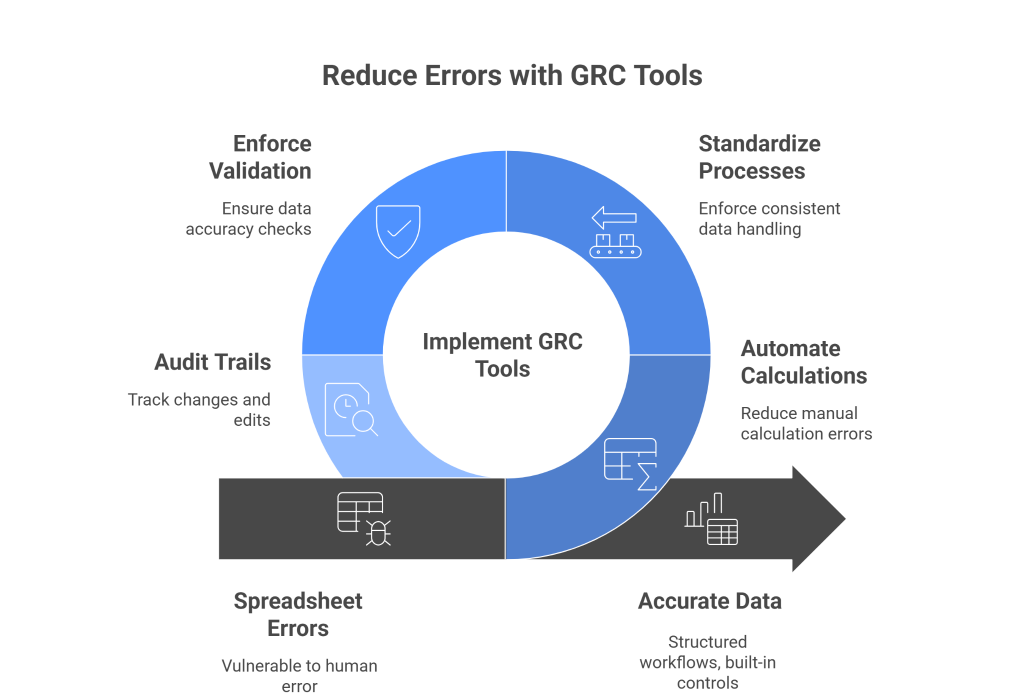
One of the biggest weaknesses of spreadsheets is their vulnerability to human error. A misplaced decimal, an overwritten formula, or a wrong cell reference can go unnoticed until it snowballs into a costly mistake. In fact, research shows that the majority of complex spreadsheets contain errors, and those errors often surface in critical areas like financial reporting, regulatory submissions, or risk assessments.

GRC tools reduce these risks by automating calculations, standardizing processes, and enforcing validation checks. Instead of relying on manual data entry and scattered formulas, they provide structured workflows, built-in controls, and real-time accuracy. 

Audit trails ensure that every change is visible and traceable, eliminating the guesswork of “who edited this cell?”

3. Audit Readiness and Transparency

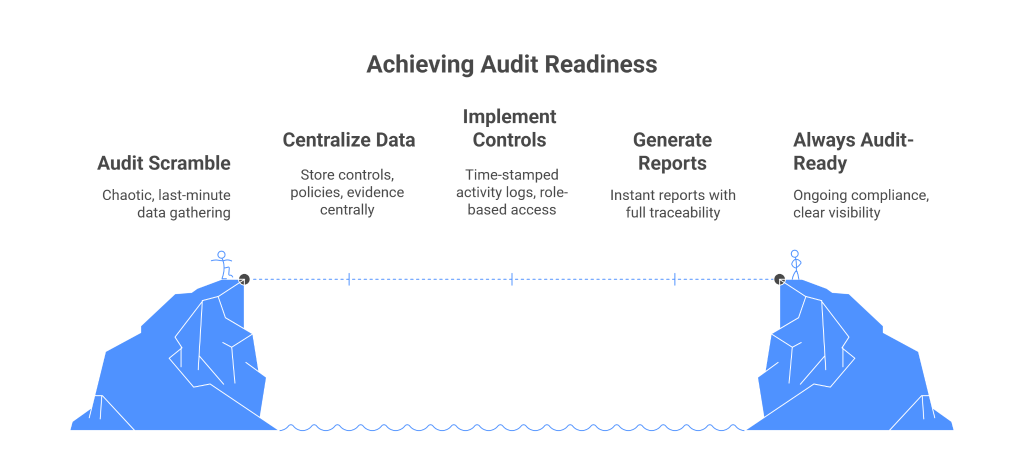
For organizations relying on spreadsheets, audit season often feels like a scramble. Teams spend weeks gathering files, reconciling inconsistent versions, and chasing down missing evidence. Even then, auditors frequently uncover gaps—unclear ownership, untraceable edits, or outdated data—that undermine confidence in the results.

Spreadsheets simply don’t provide the transparency regulators and auditors demand. There’s no reliable audit trail, version control is limited, and critical context is often buried in hidden tabs or undocumented formulas. This not only slows down the audit process but also exposes organizations to compliance risks and potential fines.

GRC tools eliminate this chaos by making audit readiness an ongoing state rather than a last-minute exercise. Every control, policy, and piece of evidence is stored in a centralized system with time-stamped activity logs and role-based access. Reports can be generated instantly, showing auditors exactly what they need with full traceability.

The result is greater confidence on both sides. Organizations save time and resources, while auditors gain clear visibility into compliance practices. Instead of fire drills at audit time, GRC platforms make “always audit-ready” a reality.

4. Collaboration and Accountability

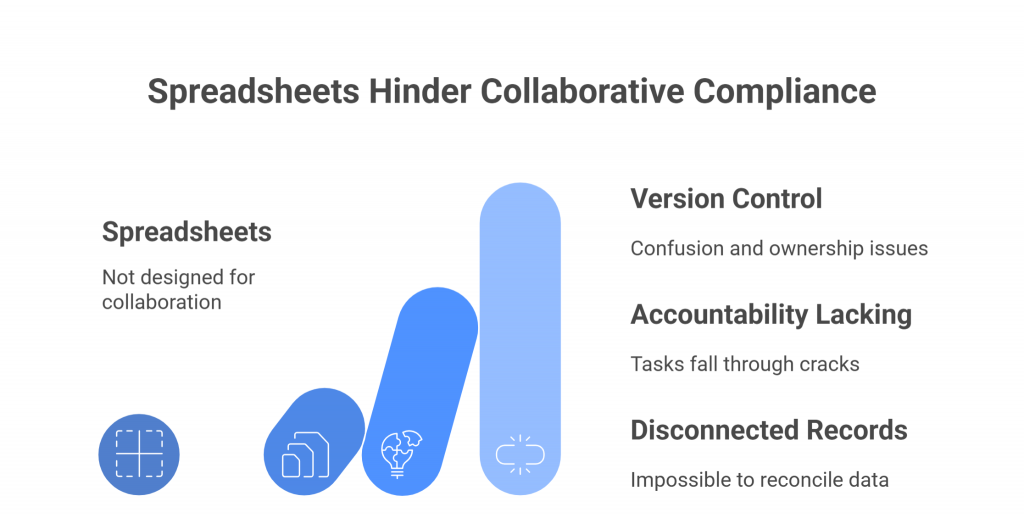
Spreadsheets were never designed for collaborative compliance work. Once multiple stakeholders get involved—compliance officers, risk managers, legal teams, IT, and auditors—version control issues and ownership confusion quickly arise. 

Who last updated the file? Which version is the source of truth? And who is responsible for reviewing and approving changes? These questions often create delays, miscommunication, and frustration.

Without clear accountability, tasks can fall through the cracks. For example, a risk assessment may be logged in a spreadsheet, but without automated reminders or ownership tags, it can sit unnoticed until an auditor asks for evidence. Similarly, approvals may be tracked by email, creating disconnected records that are nearly impossible to reconcile.

GRC tools resolve these problems by embedding collaboration into the platform itself. Tasks can be assigned with deadlines and reminders, responsibilities are clearly documented, and workflows route items to the right people at the right time. Role-based access ensures that sensitive information is only visible to those who need it, while still enabling cross-functional teams to work together seamlessly.

The result is a culture of accountability. Everyone knows their role, progress is visible in real time, and compliance processes move forward without the bottlenecks and confusion that plague spreadsheet-based systems.

5. Efficiency and Automation

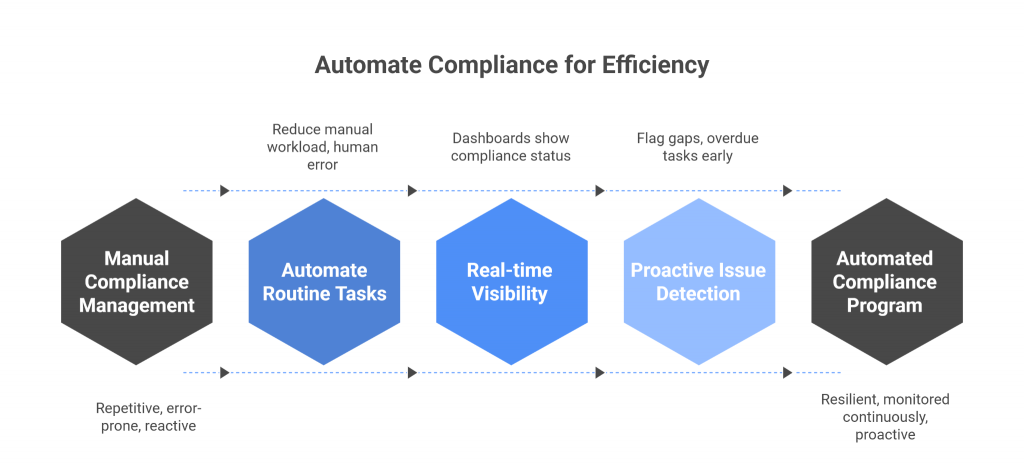
Managing compliance in spreadsheets is almost always a manual effort. Data must be copied, pasted, and reformatted; evidence has to be hunted down; and updates often require painstaking reconciliation across multiple files. This repetitive, error-prone work drains valuable time and keeps compliance teams stuck in reactive mode.

GRC tools transform this process by introducing automation at every step. Routine tasks, such as control testing, evidence collection, and risk scoring, can be automated, reducing manual workload and human error. Dashboards provide real-time visibility into compliance status, so teams don’t waste hours assembling reports from scattered spreadsheets.

Automation also enables teams to be proactive rather than reactive. Instead of scrambling to identify issues after they’ve surfaced, GRC platforms flag gaps, overdue tasks, or unusual risk patterns as they happen. This allows compliance teams to focus their energy on high-value activities like analyzing risk trends, strengthening controls, and advising leadership.

The payoff is not just time saved, but also a more resilient compliance program. Organizations can operate with confidence knowing that compliance is monitored continuously, not just when someone has time to update a spreadsheet.

10 Common Spreadsheet Risks for GRC

While spreadsheets are flexible, their use in governance, risk, and compliance (GRC) exposes organizations to a wide range of issues that go beyond simple errors. In the context of GRC, the risks are amplified because regulatory obligations demand accuracy, transparency, and accountability. Here are ten of the most common spreadsheet risks compliance teams face:

  1. Version Control Failures
    Multiple users saving different copies leads to conflicting data. In GRC, this can mean regulators are shown outdated or inconsistent compliance records.
  2. Lack of Audit Trails
    Spreadsheets rarely capture who changed what and when. Without a proper audit log, organizations struggle to demonstrate accountability during audits.
  3. Formula and Logic Errors
    A single broken formula can misstate risk exposure, control effectiveness, or compliance scores, leading to faulty decision-making.
  4. Hidden Data and Formatting Issues
    Rows hidden instead of deleted or formatting glitches can surface incorrect or incomplete information in regulatory reports.
  5. Manual Data Entry
    GRC often involves collecting evidence, test results, and control assessments. Manual entry increases the likelihood of typos, omissions, and inconsistencies.
  6. Poor Access Controls
    Sensitive compliance data stored in spreadsheets can be shared too widely, creating privacy breaches and failing to meet regulatory requirements for restricted access.
  7. Data Fragmentation
    Different departments maintain their own compliance spreadsheets, resulting in silos that make enterprise-wide risk visibility nearly impossible.
  8. Limited Scalability
    As obligations grow (e.g., multiple frameworks like GDPR, SOX, PCI DSS), spreadsheets collapse under the weight of hundreds of controls and thousands of rows of evidence.
  9. Inconsistent Methodologies
    Risk ratings, control evaluations, and scoring systems are often applied inconsistently across spreadsheets, undermining comparability and reliability.
  10. Difficulty in Reporting
    Regulators, boards, and auditors demand clear, timely reporting. Spreadsheets require manual consolidation, which delays reporting and increases the risk of errors in final submissions.

Conclusion

Spreadsheets will always have a place in business, but they’re no longer enough to manage the complexity and scrutiny of modern compliance. Organizations need tools that provide clarity, adaptability, and a deeper understanding of risk.

Platforms like SPOG.AI illustrate how the future of compliance is shifting. By using AI to surface risk insights and prioritize actions, such solutions move beyond simple tracking and enable teams to focus on decision-making and resilience. For companies outgrowing spreadsheets, this represents a natural next step in evolving their compliance programs.

GRC Automation for Hybrid Infrastructure

Most companies today aren’t operating in just one environment. They’ve got systems running in the cloud, some in private data centers, and often a good chunk still sitting on on-premises infrastructure. This is what we now call hybrid IT, and for many businesses, it’s simply how things work.

GRC in the Age of Hybrid IT

Even with the rise of cloud computing, on-prem isn’t going anywhere. Mid-sized and large organizations—especially in industries like finance, healthcare, and government—still rely on it for plenty of good reasons. Maybe they’ve got legacy applications that can’t be moved. Maybe they need to meet strict data regulations. Or maybe they just want that extra layer of control that comes with managing their own infrastructure.

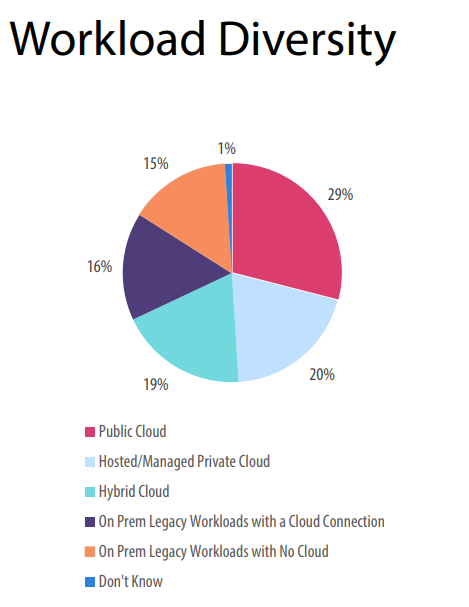
Here’s the reality: according to the Hybrid and Multi-Cloud Study by Technalysis Research, about 30% of workloads still run in traditional data centers, while another 40% are handled through private or hybrid cloud setups. That means a huge portion of enterprise computing still happens outside the public cloud.

And that’s where things get tricky for governance, risk, and compliance (GRC). Most traditional GRC systems were designed for simpler, centralized IT environments. They depend on spreadsheets, static checklists, and manual reviews. But in a fast-moving hybrid setup, those old ways just don’t cut it anymore. The result? Gaps in compliance, extra effort to get through audits, and a lot of wasted time.

This is why GRC automation is no longer a nice-to-have—it’s a must. It’s not just about making audits quicker. It’s about building compliance and risk checks right into your systems, whether they’re in the cloud or sitting in a server room downstairs. Automation helps apply the same policies everywhere, without relying on band-aid fixes or endless manual steps.

To get this right, organizations need to stop thinking in silos. A strong GRC approach sees hybrid IT as one connected environment, not a scattered mess. With the right automation, you can build a GRC program that scales, reacts in real-time, and keeps up with the pace of your business.

Risk and Compliance Complexities in On-Prem and Hybrid Setups

Running a hybrid environment means more flexibility—but it also means more moving parts to manage. From a GRC standpoint, that introduces a whole new level of complexity. What works for a single cloud setup or a tightly controlled on-prem environment doesn’t always translate cleanly across both.

Let’s start with on-premises systems. These setups often include older hardware or legacy applications that haven’t been updated in years. Some might even be air-gapped—physically isolated from the internet for security reasons. While that can reduce certain external risks, it makes monitoring and managing compliance a lot harder. You can’t easily run automated scans or push updates when systems are siloed or outdated.

Now throw in cloud and hybrid workloads. These are more dynamic. Services spin up and down on demand, data moves between platforms, and different parts of the business might be using different cloud providers altogether. Each provider has its own set of tools, policies, and configurations—which means enforcing consistent controls across environments becomes a real challenge.

Then there’s the issue of shadow IT. Teams often bypass formal channels and spin up resources outside of IT’s view. This creates gaps in visibility and opens the door to risks that GRC programs might miss entirely.

Another common problem? Logging and auditing. On-prem systems might log data differently than cloud-based ones. Some might not log at all. Without a unified approach, it’s hard to know what’s happening where—and harder still to prove compliance when auditors come knocking.

And let’s not forget change management. In hybrid setups, tracking and approving every configuration or update can be tough. Changes made in one system might not be documented properly in another, leading to misalignment, errors, or security lapses.

All of this adds up to a fragmented view of risk and compliance. You’ve got different platforms, different policies, and disconnected tools. Without automation and integration, it’s easy for things to fall through the cracks.

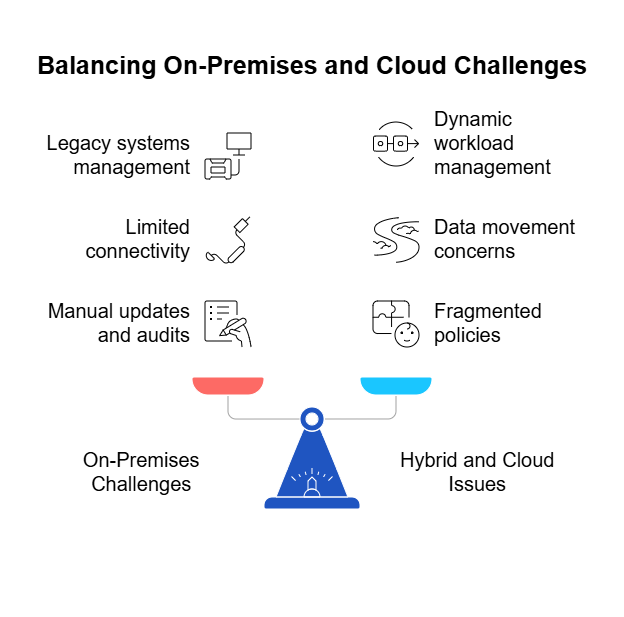
Complexities of Hybrid Infrastructure in a Nutshell

🔧 On-Premises Infrastructure Challenges

  • Legacy systems often run outdated software, making them harder to secure and monitor.
  • Air-gapped environments limit connectivity, which complicates automation and visibility.
  • Manual updates and audits are still common, increasing the risk of human error.

☁️ Hybrid and Cloud-Specific Issues

  • Dynamic workloads (e.g., autoscaling services) make it difficult to apply consistent controls.
  • Data movement across environments raises concerns around compliance and traceability.
  • Multiple cloud providers often mean fragmented policies and inconsistent enforcement.

⚠️ Common GRC Pitfalls in Hybrid Setups

  • Shadow IT: Teams may deploy resources outside IT’s oversight, creating visibility and security gaps.
  • Inconsistent logging and auditing: Different systems produce logs in different formats—or not at all.
  • Poor change management: Tracking changes across platforms is difficult, leading to policy drift or missed updates.
  • Siloed tools: Lack of integration between on-prem and cloud tools prevents unified risk monitoring.

📉 Overall Impact

  • Fragmented compliance posture with gaps between cloud and on-prem controls.
  • Increased audit fatigue due to duplicated efforts and lack of automation.
  • Higher risk exposure from unmonitored systems or unmanaged changes.

Core Components of an Automated GRC Framework for On-Premises and Hybrid Cloud Architecture

To make GRC automation work in a hybrid environment, you need more than just good intentions—you need a strong foundation. That means building a framework with the right components to handle governance, risk, and compliance across both cloud and on-prem systems.

Below are the essential pieces of that framework:


Governance: Set the Rules and Enforce Them Consistently

  • Role-Based Access Control (RBAC): Clearly define who can access what—across both cloud and on-prem systems.
  • Policy-as-Code: Turn governance policies into code that can be tested, enforced, and version-controlled.
  • Segregation of Duties: Automate checks to prevent conflict of interest in roles (e.g., developers approving their own changes).
  • Centralized Policy Management: Ensure that security and compliance rules are managed from a single place, even if infrastructure is spread out.

Risk Management: Detect, Score, and Act

  • Automated Asset Discovery: Continuously identify and classify resources—servers, databases, containers—no matter where they live.
  • Risk Scoring: Assign risk levels based on configurations, vulnerabilities, and exposure, updated in real time.
  • Continuous Monitoring: Use automated tools to watch for suspicious activity, misconfigurations, or policy violations.
  • Business Context Awareness: Link risks to business-critical systems to help prioritize what really matters.

Compliance Automation: Prove You’re Doing the Right Thing

  • Control Mapping: Align technical controls with standards like ISO 27001, SOC 2, HIPAA, or internal policies.
  • Real-Time Control Validation: Automatically test whether controls are working—and alert when they’re not.
  • Evidence Collection: Auto-generate logs and audit trails to show compliance, without hunting for screenshots or spreadsheets.
  • Audit-Ready Dashboards: Give auditors what they need, fast—with clear reports that pull from both cloud and on-prem data sources.

A solid GRC automation framework does more than just save time. It helps your organization stay secure, prove compliance, and adapt quickly—without relying on manual processes that don’t scale. Most importantly, it bridges the gap between your cloud and on-prem worlds, treating them as one connected environment.

Integration Strategies for Legacy and Modern Systems

Building a strong GRC automation framework is one thing—but making it work across legacy systems and modern cloud platforms is where the real challenge begins. Many organizations are dealing with a patchwork of old and new tools that weren’t designed to talk to each other. But with the right integration strategies, you can bring everything under one roof.

Here’s how to do it:

Connect with Core Systems That Matter

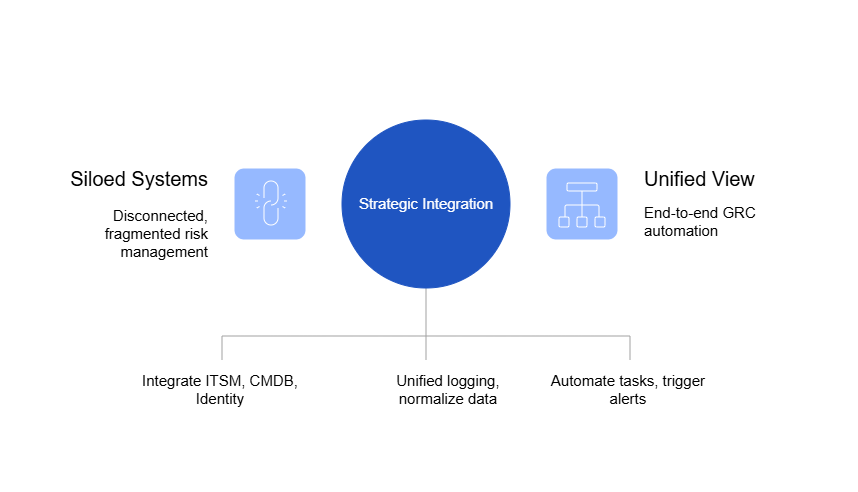
  • IT Service Management (ITSM) Tools
    Integrate with platforms like ServiceNow or Jira Service Management to automate control workflows, track incidents, and assign risk ownership.
  • Configuration Management Databases (CMDBs)
    Pull in structured asset data from your CMDB to understand what’s running where—whether it’s in the cloud or on a server in your office.
  • Identity and Access Platforms
    Sync identity data across systems like Active Directory, Azure AD, or Okta to manage access rights and enforce governance consistently.

 Federate Logs and Controls Across Environments

  • Unified Logging Pipelines
    Consolidate logs from cloud-native and on-prem systems using tools like ELK Stack, Splunk, or SIEMs to centralize monitoring and auditing.
  • Normalize Event Data
    Use log transformation tools to convert data from legacy systems into formats your cloud-native tools can understand—and vice versa.
  • Central Control Dashboards
    Create a single pane of glass for risk and compliance, pulling data from across your environments into one intuitive dashboard.

Leverage APIs for Extensibility and Automation

  • Open APIs for System Communication
    Many modern GRC and security tools offer APIs that let you automate tasks, trigger alerts, or pull compliance data on demand.
  • Webhook-Driven Workflows
    Trigger automated actions—like revoking access or opening a ticket—when a policy violation or risk event is detected.
  • Middleware and Integration Platforms
    Use services like MuleSoft, Zapier, or custom API gateways to bridge the gap between systems that weren’t built to integrate.

By connecting legacy systems with modern cloud infrastructure, you can break down silos and get a unified view of risk, compliance, and governance. Integration isn’t just a technical task—it’s a strategic move that allows your GRC automation framework to function end-to-end.

GRC Tools and Technologies Landscape for Hybrid Infrastructure

Once your strategy and framework are in place, the next step is choosing the right tools to bring GRC automation to life. But in a hybrid environment, not all tools are created equal. Some are built for cloud-first use cases, while others focus on legacy or on-prem systems. The key is finding solutions that span both worlds, offer good integration capabilities, and fit your specific needs.

Here’s a breakdown of the GRC tooling landscape for hybrid infrastructures:

 Customizable and Open Approaches

Some organizations prefer tools that offer deep customization and control. These are often designed with developers and security engineers in mind, allowing teams to define policies as code and integrate directly with infrastructure workflows.

  • Useful for organizations with strong in-house technical skills.
  • Enables fine-grained policy enforcement and custom compliance logic.
  • Typically requires more effort to integrate and maintain.

✅ Best for: Teams looking for full control and willing to build integrations from the ground up.

 Enterprise-Grade Platforms

For organizations with complex governance needs, enterprise platforms provide out-of-the-box support for risk management, compliance reporting, and policy workflows. These solutions often come with pre-built templates for common frameworks and strong integration capabilities.

  • Designed to scale across departments and business units.
  • Includes reporting, dashboards, and evidence management.
  • May be heavier to configure and more expensive to implement.

✅ Best for: Larger enterprises seeking structure, standardization, and centralized oversight.

 Flexible, Hybrid-Ready Solutions

Some solutions are purpose-built to function well in hybrid environments. They are platform-agnostic and prioritize real-time data collection, consistent policy enforcement, and integration with both legacy and cloud systems.

  • Balances ease of use with customization options.
  • Provides visibility across environments through unified dashboards.
  • Supports both cloud-native and traditional infrastructure.

✅ Best for: Organizations navigating a mix of legacy systems and modern workloads.

 Key Considerations When Choosing GRC Technology

When evaluating GRC tools for a hybrid setup, consider the following:

  • Compatibility: Does it support both on-premises and cloud environments?
  • Interoperability: Can it integrate easily with your existing infrastructure and APIs?
  • Automation Capabilities: Can it automate control checks, evidence gathering, and reporting?
  • Scalability: Will it grow with your infrastructure as your organization evolves?
  • User Experience: Is it intuitive enough for multiple teams—security, IT, compliance—to use effectively?

Conclusion: GRC Can’t Be an Afterthought in the Hybrid Era

Ultimately, the best GRC tools are those that adapt to your architecture, streamline compliance efforts, and provide real-time insight into risk—no matter where your workloads run.

Managing governance, risk, and compliance in today’s hybrid environments requires more than legacy checklists and fragmented oversight. As infrastructure sprawls across cloud, on-prem, and everything in between, the margin for error shrinks. Manual processes not only fall short—they actively increase exposure.

Automation is no longer a nice-to-have. It’s the only way to gain consistent visibility, enforce controls, and respond to risks in real time. Forward-looking organizations are embedding GRC into their infrastructure, not treating it as an afterthought. They’re shifting from reactive compliance to proactive assurance—at scale.

In that shift, tooling matters. The right GRC platform should be environment-agnostic, flexible enough to operate across legacy and modern systems, and simple to deploy without disrupting existing workflows.

SPOG AI is built with this philosophy in mind. Designed to work seamlessly across public cloud, private infrastructure, and on-prem systems, it helps organizations unify their risk and compliance efforts without being locked into a specific environment.

As hybrid complexity grows, the ability to enforce governance everywhere—without adding friction—will define how well companies manage both risk and resilience.

The GRC Metrics That Actually Matter

Governance, Risk, and Compliance (GRC) functions have evolved from reactive compliance checkpoints into proactive strategic enablers. However, this evolution brings a new challenge—how do you prove the value of GRC to leadership and ensure it drives business outcomes?

The answer lies in metrics.

GRC programs are foundational to a well-functioning, resilient enterprise. Yet, without the right metrics, these programs can become directionless or even performative. It’s not about tracking all the metrics—it’s about tracking the right ones, the ones that drive decisions, surface risk, and demonstrate value to leadership.

This article breaks down the GRC metrics that actually matter and offers practical tips for setting thresholds, defining KPIs, and reporting effectively to leadership.

What Are GRC Metrics?

GRC metrics are measurable indicators used to track and assess the effectiveness of an organization’s Governance, Risk, and Compliance programs. These metrics serve as a bridge between technical controls and strategic oversight, offering quantifiable insights into how well an organization is managing risks, complying with regulations, and adhering to internal governance policies.

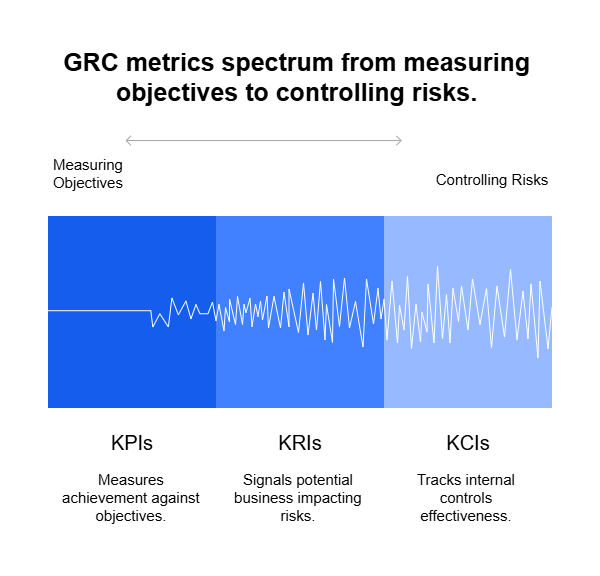
There are several types of GRC metrics, commonly grouped as:

  • Key Performance Indicators (KPIs): Measure how well GRC activities meet set objectives (e.g., % of completed audits).
  • Key Risk Indicators (KRIs): Signal potential risks that could impact the business (e.g., number of high-risk incidents).
  • Key Control Indicators (KCIs): Track the effectiveness of internal controls (e.g., % of controls operating as designed).

By monitoring these indicators, organizations can identify trends, prioritize interventions, and provide leadership with data-driven insights to guide decisions.

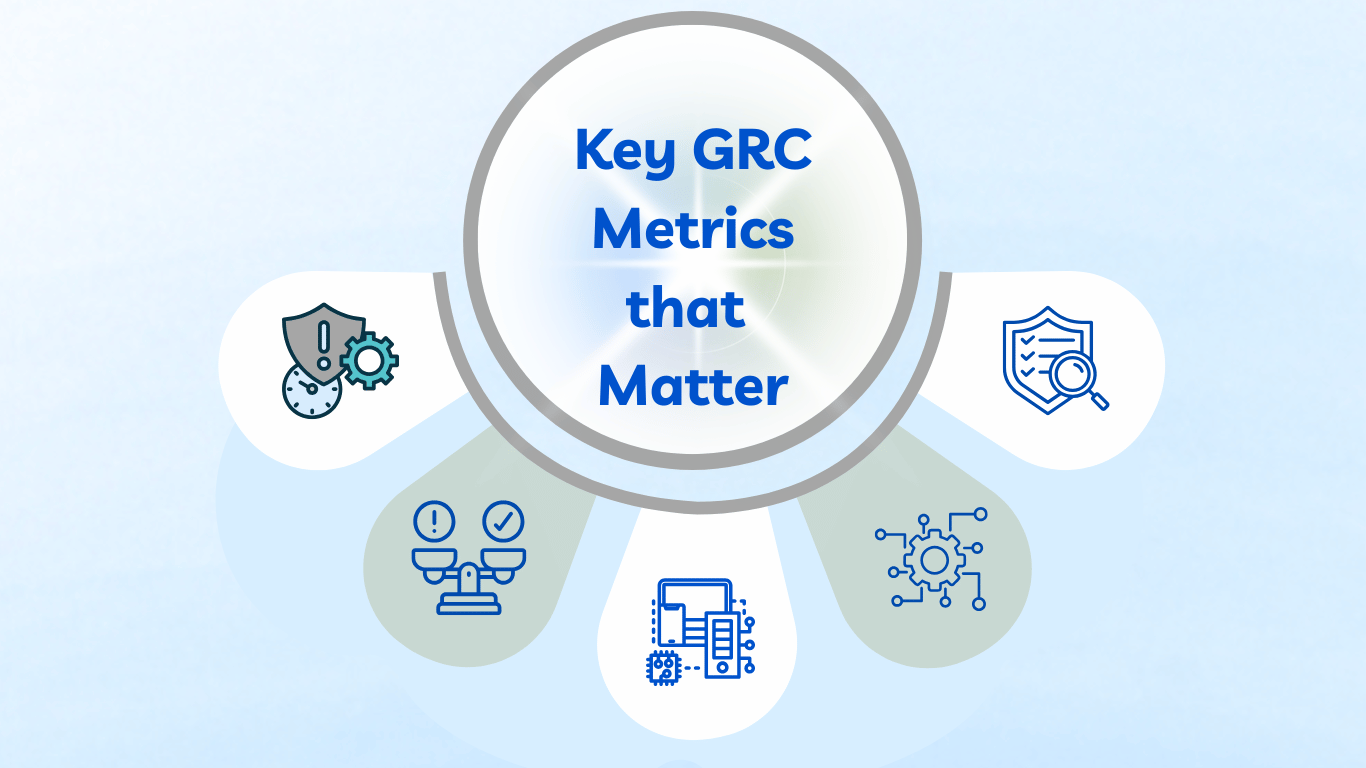
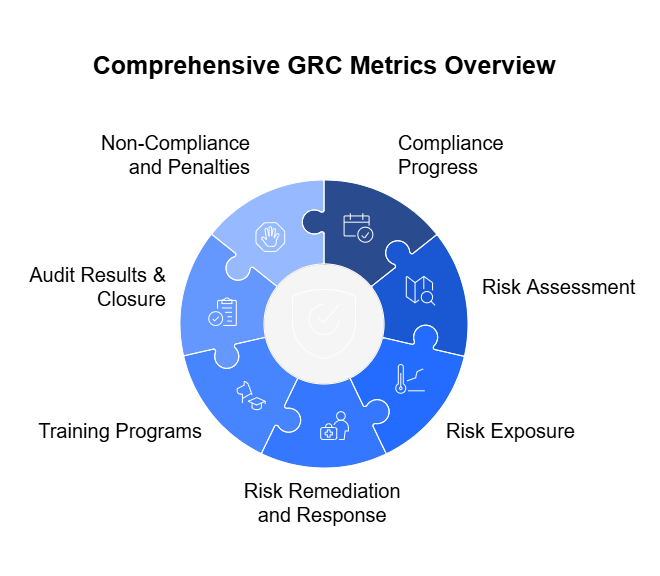
Key GRC Metrics that Matter

1. Compliance Progress

Compliance progress metrics help organizations monitor how well they align with regulatory obligations, internal standards, and industry benchmarks. They ensure that the foundational building blocks of compliance—such as policies, documentation, and attestations—are active and effective.

Key Focus Areas

  • Policy Acknowledgment Rates: Tracks the percentage of employees who have signed or acknowledged critical policies (e.g., Code of Conduct, Data Privacy).
  • Policy Review & Update Cycles: Measures how frequently and reliably compliance-related policies are reviewed and revised.
  • Regulatory Coverage Mapping: Assesses whether organizational controls are adequately mapped to relevant regulatory requirements (e.g., SOX, GDPR, HIPAA).
  • Compliance Task Completion: Monitors completion of key compliance actions (e.g., document submissions, certification filings) by relevant deadlines.
  • Internal Self-Assessments: Evaluates periodic self-audits or gap assessments conducted by business units.

Why It Matters

Strong compliance progress metrics prevent regulatory lapses, support audit readiness, and reinforce a culture of accountability.


2. Risk Assessment

Risk assessment metrics evaluate the maturity, coverage, and responsiveness of the risk identification and analysis processes. They enable leaders to understand where vulnerabilities lie and how the organization prioritizes them.

Key Focus Areas

  • Inventory of Identified Risks: Number and classification of known risks across departments, regions, or processes.
  • Risk Heat Maps and Trend Analysis: Visual or quantitative tools showing how risk levels evolve over time or escalate in frequency.
  • Likelihood and Impact Scores: Helps gauge the potential consequence and probability of each risk scenario.
  • New Risk Discovery Rate: Monitors how often new risks are surfaced, signaling environmental changes or emerging threats.
  • Scenario Analysis and Stress Testing: Measures the frequency and quality of simulated risk events and their modeled impacts.

Why It Matters

These metrics ensure that the risk landscape is continuously monitored and reassessed, not just during annual reviews or audits.


3. Risk Exposure

Risk exposure metrics reveal the current state of risk in relation to defined thresholds or tolerances. They offer a quantifiable way to evaluate how “safe” or “overexposed” an organization is in various domains.

Key Focus Areas

  • Overall Residual Risk Level: After mitigation efforts, what level of risk remains for each critical area.
  • Risks Breaching Appetite or Threshold: Flags risks that surpass acceptable tolerance levels defined by the organization or board.
  • Exposure by Risk Category: Breaks down exposure by operational, financial, cyber, regulatory, or reputational risk.
  • Third-Party Risk Levels: Captures the risk scores or classifications of vendors, partners, and other external entities.
  • Unmitigated or Underfunded Risks: Risks for which there are no approved treatment plans or adequate resources allocated.

Why It Matters

Executives need real-time visibility into where risks exceed boundaries, so decisions can be prioritized and resources mobilized quickly.


4. Risk Remediation and Response

This category focuses on how effectively and efficiently risks are being managed once identified. It highlights the organization’s agility in reducing exposure and preventing recurrence.

Key Focus Areas

  • Remediation Plan Status: Percentage of risks with approved treatment plans that are on-track, delayed, or stalled.
  • Time to Remediate: Average duration between identifying a risk and completing its mitigation.
  • Incident Response Timeliness: Measures time to detect, escalate, respond to, and resolve compliance or risk events.
  • Repeat Incidents or Failures: Frequency of recurring risks or failures due to inadequate remediation.
  • Root Cause Analysis Completion: Whether incidents are investigated thoroughly to prevent future occurrences.

Why It Matters

Effective risk response metrics not only prove that the organization is responsive, but that it learns and improves after each incident.


5. Training Programs

Training metrics assess the effectiveness, reach, and retention of GRC-related training initiatives. They support organizational awareness and empower employees to act compliantly and responsibly.

Key Focus Areas

  • Training Completion Rates: Percentage of employees who completed mandatory training (e.g., anti-corruption, data privacy).
  • Training Timeliness: Tracks how many completed training before the deadline.
  • Assessment Scores: Average pass/fail rates or proficiency levels from post-training quizzes.
  • Training Coverage Gaps: Identifies which business units or roles have incomplete training coverage.
  • Refresher Training Frequency: Measures how often periodic or follow-up trainings are administered.

Why It Matters

Training metrics reinforce human risk mitigation and provide evidence of due diligence in compliance and governance efforts.


6. Audit Results & Closure

This category quantifies the outcomes of internal and external audits and the responsiveness of the organization in addressing findings.

Key Focus Areas

  • Total Audit Findings: Number of issues identified during audits, by severity.
  • Findings Closed on Time: Percentage resolved within the audit team’s defined timelines.
  • Recurring Findings: Repeat issues from previous audits, signaling deeper systemic flaws.
  • Audit Plan Completion Rate: Percentage of scheduled audits completed as planned.
  • Issue Aging: How long audit findings remain open beyond target closure dates.

Why It Matters

Audit metrics highlight both compliance posture and management responsiveness, enabling trust with regulators and stakeholders.


7. Non-Compliance and Penalties

These metrics expose where rules were broken, controls were bypassed, and penalties were incurred. They serve as critical retrospective indicators of compliance performance.

Key Focus Areas

  • Regulatory Violation Incidents: Number of breaches reported to external authorities.
  • Fines and Settlement Costs: Monetary impact of non-compliance, including penalties, legal fees, and settlements.
  • Internal Breach Reports: Cases of internal whistleblower alerts or ethics violations.
  • Exception Requests and Approvals: Number of formal requests to bypass standard compliance processes.
  • Control Override Frequency: How often critical controls were bypassed or ignored.

Why It Matters

These metrics are crucial for root cause analysis, budget forecasting (e.g., for legal risk), and ensuring that culture and compliance mechanisms are robust.

GRC Metrics Categorized by Type and Functional Area

Functional AreaMetricType Description
Compliance ProgressPolicy Acknowledgment RateKPI% of employees who have attested to reading policies
Policy Review Cycle CompletionKCI% of policies reviewed and updated as scheduled
Compliance Coverage per RegulationKPI% of applicable controls mapped to regulatory requirements
Risk AssessmentTop Enterprise Risks by SeverityKRIList and prioritize risks based on impact and likelihood
Risk Scoring AccuracyKCIEffectiveness of risk scoring methodology and data quality
Number of New Risk Events IdentifiedKRICount of newly identified risk events in a given period
Risk ExposureRisk Appetite vs. ExposureKRIGap between defined appetite and actual exposure
High-Risk Vendor PercentageKRI% of vendors categorized as high-risk based on third-party assessments
Number of Risks Above ThresholdKRIActive risks exceeding tolerable limits
Risk Remediation & ResponseMitigation Plan Completion RateKPI% of active risks with on-track remediation plans
Incident Response TimeKPIAverage time taken to detect and resolve risk events
Control Failure RateKCIFrequency of control breakdowns during operations or audits
Training ProgramsMandatory Training Completion RateKPI% of employees completing risk/compliance training
Post-Training Assessment Pass RateKCIEffectiveness of training based on test results
Audit Results & ClosureAudit Findings Resolved On TimeKPI% of findings closed within expected timelines
% of Controls TestedKCIControl assurance coverage across business units
Repeat Audit FindingsKRI% of issues reappearing in subsequent audits
Non-Compliance & PenaltiesRegulatory Breach IncidentsKRINumber of compliance breaches reported
Penalties and Fines PaidKPIMonetary impact of non-compliance
Number of Reported ExceptionsKCIFrequency of bypassed controls or policy violations

Setting Thresholds and KPIs: Making Metrics Meaningful

Collecting GRC metrics is only the first step. To transform them into actionable tools for decision-making, organizations must define thresholds and Key Performance Indicators (KPIs) that clarify what “good,” “acceptable,” and “unacceptable” look like. Without benchmarks, metrics are just numbers. With benchmarks, they become insights.


1. Understand Your Risk Appetite and Tolerance

Before you can set meaningful thresholds, you need to clearly define your organization’s risk appetite (the amount of risk you’re willing to take) and risk tolerance (the acceptable variation around that appetite). This foundational step helps contextualize every risk-related metric.

Example: If your appetite for data breach incidents is zero, then even one incident breaches your threshold. If you tolerate low-severity vendor risks up to 10%, set that as the benchmark.


2. Define SMART KPIs

Your KPIs should follow the SMART criteria:

  • Specific: Focused on a defined goal (e.g., training completion)
  • Measurable: Quantifiable in numbers or percentages
  • Achievable: Realistic given your current resources
  • Relevant: Tied to business outcomes and risk priorities
  • Time-bound: Linked to a defined time period

 Eample: “Close 90% of audit findings within 30 days” is a SMART KPI.


3. Set Alert Thresholds and Escalation Triggers

Thresholds convert metrics into action drivers. You should establish:

  • Operational thresholds: Used by teams for daily GRC management.
  • Escalation thresholds: Levels that require reporting to leadership or intervention.
  • Critical breach thresholds: Events or numbers that trigger incident response or board-level visibility.

Example: If more than 5% of employees fail compliance training, escalate the issue to HR leadership.


4. Benchmark Against Industry Standards

Whenever possible, compare your thresholds to:

  • Regulatory expectations (e.g., SOX, GDPR requirements)
  • Peer and industry benchmarks (via consortiums or GRC maturity models)
  • Past performance trends (to measure improvement or decline)

📈 According to the GRC 2024 Benchmarking Report, mature organizations resolve 85% of audit findings within 45 days, while less mature programs average 120 days.


5. Automate Tracking and Notifications

GRC platforms can automatically monitor when thresholds are breached, generate alerts, and even initiate workflows. This reduces manual effort and ensures real-time visibility into potential risks or compliance gaps.

Most GRC Tools provide out-of-box reports that provide real-time KPI dashboards and automatic escalation protocols.


6. Involve Stakeholders in Threshold Setting

Avoid a top-down-only approach. Get input from:

  • Operational teams (who know what’s achievable)
  • Compliance officers (who ensure regulatory alignment)
  • Executives (who understand strategic risk priorities)

This collaboration increases buy-in and ensures that thresholds are both ambitious and realistic.

Reporting GRC Metrics to Leadership: Driving Action Through Insight

Collecting and analyzing GRC metrics is only valuable if the insights are clearly communicated to the people who make decisions. Senior leaders, board members, and executive committees need concise, actionable reporting that highlights what matters—not a deluge of raw data.

1. Focus on What’s Material

Leadership doesn’t need every metric. Focus your reporting on:

  • Top enterprise risks and emerging threats
  • Metrics that breach thresholds or show negative trends
  • Compliance gaps that pose legal or reputational risks
  • Areas where risk exposure affects strategic objectives

Example: Instead of listing 100 vendors’ risk scores, report on the top 5 high-risk vendors and their remediation status.


2. Use Visual Dashboards

A well-designed dashboard can convey complex insights in seconds. Consider using:

  • Risk heatmaps to show severity vs. likelihood
  • Trend lines for key metrics over time
  • Traffic light indicators (RAG status) to signal threshold breaches
  • Pie/bar charts for audit status, training completion, or policy coverage

Opt for GRC tools that support dynamic and customizable dashboards for executive reporting.


3. Provide Context, Not Just Data

Data without context leads to misinterpretation. Always accompany metrics with:

  • Narrative summaries: Explain what the metric means and why it matters.
  • Comparative benchmarks: Include prior performance or industry norms.
  • Recommended actions: Suggest how to respond to the insight.

Example: “Training completion dropped 12% last quarter due to onboarding surge. Mitigation plan: auto-enroll all new hires on day one.”


4. Tailor Reporting to the Audience

Different stakeholders care about different things:

  • Board members want strategic risks, liabilities, and reputational exposure.
  • CFOs want financial impacts of risk and compliance failures.
  • CISOs focus on cyber risks, incidents, and control effectiveness.
  • Business unit leaders care about operational risks and accountability.

Create tiered reports—executive summaries for leadership and detailed reports for functional heads.


5. Highlight Trends and Leading Indicators

Don’t just report snapshots. Leaders need to see:

  • Trends: Are things getting better or worse?
  • Leading indicators: Metrics that hint at future problems (e.g., declining training rates)
  • Lagging indicators: Metrics that show results of past actions (e.g., fines paid)

Use a mix of both to drive proactive vs. reactive decisions.


6. Link GRC to Business Objectives

Make it clear how GRC activities support the company’s strategic goals:

  • Risk mitigation ensures business continuity
  • Compliance builds stakeholder trust
  • Governance ensures ethical, aligned decision-making

Example: “Vendor cyber risk controls are critical to our digital transformation strategy involving third-party SaaS platforms.”


7. Keep It Concise and Actionable

Executive time is limited. Follow the 3-3-3 Rule:

  • 3 major risks or issues
  • 3 key metrics to watch
  • 3 actions or decisions needed

Use bullet points, bold text, and summaries to aid quick scanning.

Conclusion: Don’t Just Measure—Matter

Let’s be honest—governance, risk, and compliance can sometimes feel like background noise in the rush of quarterly goals, product launches, and market shifts. But when done right, GRC isn’t just a protective layer. It’s a lens that brings clarity. A compass that steers strategy. A voice that speaks up before things go wrong.

The problem isn’t that companies lack data. It’s that too many GRC programs are drowning in it—collecting, monitoring, and reporting metrics that don’t drive any action. That’s a missed opportunity.

The GRC metrics that actually matter are the ones that:

  • Point to real exposure,
  • Highlight where momentum is building (or faltering),
  • And give leaders the confidence to move forward—knowing someone is watching the edges.

So if you’re leading or advising on GRC, your job isn’t just to track risks. It’s to make them visible. Understandable. Actionable. That means setting thresholds with intention. Choosing KPIs that reflect priorities. Reporting with focus and clarity. And always linking back to what the business actually cares about—performance, resilience, reputation, and trust.

Because in a world that changes by the hour, the companies that thrive won’t be the ones that avoided every risk. They’ll be the ones who saw it coming, saw it clearly, and responded fast.

And that starts with better metrics.

GRC Platform Selection Guide: What to Look for Based on Your Maturity Level

The GRC (Governance, Risk, and Compliance) technology landscape is vast. It touches nearly every part of a company’s operations—from policy management and control alignment to risk tracking and data classification. The way you run your GRC program today has a direct impact on your organization’s ability to manage uncertainty, stay compliant, and make informed decisions.

So, ask yourself: Are you still managing risk and compliance through spreadsheets and manual processes?

If yes, you’re not alone. According to McKinsey, 42% of companies say their current use of IT and GRC systems needs improvement, while 15% admit their systems are either outdated or nonexistent. This gap leaves organizations exposed to avoidable risks and slows down their ability to respond to regulatory changes.

That’s where governance risk compliance tools come in.

Modern GRC software solutions offer much more than digital recordkeeping. They help you align controls, monitor risks, generate insights, and automate reporting—all in one place. With these tools, teams can track performance, uncover weaknesses, and make better decisions based on real-time data. Instead of reacting to issues, you gain the ability to prevent them.

The shift toward automation and integration is already happening. In fact, the global GRC software market reached $50.5 billion in 2024 and is expected to more than double to $104.5 billion by 2031, growing at a CAGR of over 15%. This trend highlights how companies now view compliance management systems as essential business enablers—not just check-the-box solutions.

Choosing the right platform, however, depends on where your organization stands today. A small startup won’t need the same feature set as a global enterprise. That’s why this guide breaks down what to look for in a GRC platform based on your organization’s size, complexity, and risk exposure.

Let’s explore the right way to choose a tool that grows with your business and supports your long-term goals.

GRC Maturity Levels: Where Does Your Organization Stand?

Before selecting a governance risk compliance tool, it’s essential to understand your organization’s GRC maturity level. The needs of a fast-moving startup look very different from those of a regulated global enterprise. A clear view of your current state helps you identify the features that truly matter—and avoid overinvesting in tools you won’t use.

Most organizations fall into one of three maturity stages: Foundational, Developing, or Advanced.

1. Foundational (Startups & Small Teams)

At this stage, companies often rely on spreadsheets, email threads, and manual checklists to manage compliance. Risk identification is basic, and documentation lives in silos. While this setup may work temporarily, it lacks structure, visibility, and scalability.

Typical traits:

  • Minimal formal policies or internal controls
  • Ad-hoc approach to compliance tasks
  • Limited experience with frameworks like SOC 2, ISO 27001, or GDPR
  • Few or no dedicated GRC or compliance personnel

GRC priorities:

  • Automate core compliance workflows
  • Centralize policies, risks, and controls
  • Lay the foundation with lightweight, intuitive GRC software

2. Developing (Mid-Market Organizations)

Mid-sized companies often experience growing pains in their compliance and risk functions. Regulatory demands increase, customer expectations rise, and internal stakeholders need greater visibility. Teams start to feel the limits of manual methods.

Typical traits:

  • Multiple compliance frameworks in use
  • Defined risk register and internal audit schedule
  • Emerging need for vendor risk management
  • Desire for automated reporting and alerts

GRC priorities:

  • Streamline audits and risk assessments
  • Integrate with existing tools like Slack, Jira, and Google Workspace
  • Begin measuring performance with dashboards and KPIs

3. Advanced (Enterprises & Regulated Industries)

Enterprises need highly scalable, integrated systems. They manage risks across departments, regions, and third parties. A mature GRC program supports strategy, not just compliance. At this level, the focus shifts to real-time risk intelligence, cross-functional collaboration, and continuous improvement.

Typical traits:

  • Formal enterprise risk management (ERM) program
  • Ongoing internal and external audits
  • Advanced reporting requirements (e.g., SOX, ESG, DORA, HIPAA)
  • Dedicated GRC team and budget

GRC priorities:

  • Map multiple compliance frameworks and risk taxonomies
  • Monitor real-time risks across business units
  • Embed governance risk compliance tools into enterprise systems (ERP, IAM, SIEM)

Top 10 Features to Look for in a GRC Tool

Choosing the right GRC platform goes beyond checking off a few boxes. The most effective governance, risk, and compliance tools offer a combination of usability, depth, and integration that can transform how your organization manages risk and stays compliant.

Here are the top features to prioritize when evaluating any GRC software—regardless of your industry or maturity level.

1. Centralized Policy Management

A strong compliance management system starts with consistent, up-to-date policies. Look for platforms that offer a centralized policy library, version control, automated approvals, and the ability to distribute and track acknowledgment across teams.

Electronic sign-offs, renewal reminders, and built-in policy distribution workflows ensure your workforce always has access to the latest guidelines—critical for staying aligned with frameworks like ISO 27001, SOC 2, and HIPAA.

Why it matters: Eliminates silos, supports audits, and ensures team-wide alignment.

2. Risk Assessment & Scoring Engine

Modern risk and compliance tools should include configurable risk matrices, scoring logic, and support for qualitative and quantitative inputs. The best tools also use AI or predictive analytics to prioritize emerging risks.

Modern risk management software often includes visual heat maps, automated risk prioritization, and even support for advanced analytics. Having a centralized view of risks—along with mitigation plans, responsible owners, and linked controls—ensures that your risk posture remains visible and actionable.

Why it matters: Helps teams respond proactively, not reactively, to changing threats.

3. Compliance Framework Mapping

Your GRC tool should let you manage multiple regulatory and industry frameworks in one place—SOC 2, ISO 27001, GDPR, HIPAA, PCI DSS, and others. Bonus points if it includes pre-loaded control sets and templates.

These platforms make it easy to map internal controls across multiple standards, identify gaps, and track progress toward certification. Cross-framework mapping also reduces duplication of effort, saving time and resources.

Why it matters: Reduces duplication of effort and ensures full visibility across frameworks.

4. Audit Management & Reporting

A good GRC platform simplifies internal and external audits. It should offer automated evidence collection, task tracking, and export-ready reports. The best audit management software allows you to schedule audit tasks, automatically collect and tag evidence, and generate audit-ready reports.

Why it matters: Saves hours during audits and improves transparency with stakeholders.

5. Real-Time Alerts & Workflow Automation

Look for tools that offer intelligent automation—triggering alerts for non-compliant actions, overdue tasks, or high-risk events. Customizable workflows streamline reviews, approvals, and escalations.

A well-designed platform lets you create rule-based workflows that trigger emails, assign follow-ups, or escalate issues to leadership. These automations ensure nothing slips through the cracks and reduce the need for manual monitoring.

Why it matters: Reduces human error and ensures timely risk response.

6. Role-Based Access & Security Controls

GRC tools handle sensitive data, so access controls are critical. Seek out solutions that support SSO, MFA, and fine-grained role-based permissions to manage who sees what.

These features help protect sensitive information while ensuring the right people can access the right content—especially important in large, distributed teams.

Why it matters: Enhances security and aligns with privacy and audit requirements.

7. Integrations with Business Tools

Choose a platform that integrates with your ecosystem—Slack, Jira, ServiceNow, Microsoft 365, cloud storage providers, and even ERP or SIEM systems. Whether your stack is spread across Cloud or on-premises, the GRC platform you opt for should provide native integration support. These integrations keep your GRC activities aligned with daily workflows and reduce the risk of disconnected or duplicate efforts.

Why it matters: Keeps compliance embedded into your workflows, not siloed from them.

8. Dashboards & KPIs

The best GRC software provides visual dashboards and metrics that help leadership track compliance progress, risk trends, and control effectiveness in real time.A strong GRC system should provide real-time insights into key performance indicators (KPIs) like compliance scores, unresolved incidents, open risks, or control health across business units. Visual dashboards help leadership teams assess risk exposure at a glance and make informed decisions.

Why it matters: Turns GRC from a checkbox function into a strategic advantage.

9. Vendor & Third-Party Risk Management

As third-party risk becomes a growing concern, your GRC platform should include dedicated features for vendor and supplier risk management. This includes maintaining a centralized vendor database, automating security questionnaires, tracking contract statuses, and monitoring compliance certifications. 

Advanced systems also pull in threat intelligence feeds or risk ratings to continuously monitor vendor performance and exposure.

10. AI & Predictive Insights 

Finally, many modern platforms are beginning to include AI and predictive analytics. These capabilities can identify anomalies, anticipate compliance gaps, and suggest mitigation steps based on industry patterns and your past data. 

While not yet a standard offering in all tools, AI-driven features represent the future of risk and compliance automation—and should be considered if long-term innovation is part of your strategy.

GRC Feature Checklist by Maturity Stage

Now that you’ve identified your organization’s GRC maturity level, it’s time to evaluate which features best support your needs. The right tool should balance your current priorities with the flexibility to scale as your business grows.

This feature checklist breaks down key capabilities to look for at each stage—from foundational systems for startups to enterprise-grade risk and compliance tools.

FeatureFoundational (Startup)Developing (Mid-Market)Advanced (Enterprise)
Policy ManagementPre-built templatesCentral repository with versioningLifecycle management with audit trails
Risk AssessmentManual or Excel-basedConfigurable risk matrixDynamic scoring with predictive analytics
Compliance TrackingSingle framework (e.g., SOC 2)Multi-framework mapping (GDPR, ISO 27001)Real-time controls monitoring & alerts
Incident ManagementEmail or spreadsheet logsWorkflow-based incident trackingAutomated alerts, investigation workflows
Audit Trails & ReportingManual documentationScheduled reports & dashboardsCustom reporting & real-time analytics
Access Control & PermissionsSingle admin accessRole-based accessSSO, MFA, and granular user roles
Third-Party IntegrationsLimited or noneCommon tools (Slack, Jira, GSuite)Enterprise apps (ERP, SIEM, IAM)
Vendor Risk ManagementNot yet requiredVendor onboarding questionnairesContinuous monitoring & scorecards
Regulatory Change TrackingManual updatesSubscription feedsAutomated change alerts & policy updates
Scalability & DeploymentCloud-based SaaS onlyHybrid cloud supportFull multi-tenant enterprise deployment
Training & AwarenessOptionalBasic LMS integrationInteractive modules with compliance tracking

How to Choose the Right GRC Platform

With a clear understanding of your maturity level and the features that matter most, you’re ready to choose a GRC platform that fits your organization. But with dozens of compliance management systems on the market, how do you make the right choice?

Follow these five practical steps to evaluate options effectively and select a tool that delivers both immediate and long-term value.

1. Define Your Goals and Must-Have Features

Start by identifying your top priorities. Are you trying to automate audit trails? Reduce manual compliance work? Gain visibility into vendor risks?

Make a shortlist of must-have features based on your current GRC challenges and your maturity level. Use the checklist in the previous section as a guide. A targeted approach keeps you focused and prevents feature overload.

2.  Request Demos and Hands-On Trials

Seeing a platform in action reveals far more than reading a spec sheet. Request product demos from your shortlisted vendors. Even better, ask for trial access so your team can test real use cases—like uploading policies, mapping risks, or generating reports.

Focus on usability. A sleek interface and easy configuration can drive adoption far more effectively than a platform packed with unused features.

3 Evaluate Integrations and Ecosystem Fit

Make sure the GRC tool works well with your existing systems. For growing teams, integrations with both cloud and on-premises tools are often critical. Enterprises may need connections to ERP platforms, identity management systems, or SIEM tools. Thus, for a hybrid enterprise landscape, a hybrid GRC tool is often required to bridge connections between multi-cloud and on-premises systems for a unified view. 

Good integrations reduce duplicate work and create a seamless flow of data between departments.

4. Consider Scalability and Long-Term Flexibility

Choose a solution that grows with you. Many GRC platforms offer modular pricing or feature tiers so you can start small and expand over time. Look for flexible architecture and customization options that support evolving compliance frameworks, departments, and user roles.

Avoid solutions that require costly upgrades or custom development just to meet future needs.

5. Talk to References and Read Reviews

Before committing, speak with current users in organizations similar to yours. Ask about their onboarding experience, support quality, and platform reliability. You can also browse verified reviews on trusted sites like G2 or Gartner Peer Insights.

Real-world feedback helps validate your decision—and uncovers red flags you may have missed.

Bonus Tip: Look Beyond Compliance

The best GRC software doesn’t just help you meet regulations—it becomes a strategic asset. Look for features that support decision-making, performance tracking, and cross-functional collaboration. 

For instance, look for exclusive customization capabilities instead of solely relying on out of box capabilities. Performance tracking features such as customizable security dashboards and reports are a must-have for well-informed decision making. 

A smart investment now can elevate your entire governance and risk culture.

Top GRC Platforms by Use Case

Not every GRC platform is built the same—and that’s a good thing. Different organizations need different tools depending on their size, goals, and how far along they are in their risk and compliance journey. To make a smart choice, you need to match your GRC platform to the way your business actually works today.

If you’re part of a startup or small team, you likely want a GRC solution that’s easy to set up and doesn’t require a lot of manual effort. At this stage, your focus is probably on getting audit-ready for certifications like SOC 2 or ISO 27001. You may not have a dedicated compliance officer, so the tool should come with built-in templates, simple checklists, and automation for collecting evidence and generating reports. The best platforms for early-stage companies let you hit the ground running without getting overwhelmed.

As companies grow into the mid-market stage, their compliance and risk responsibilities become more complex. You may need to track several frameworks at once, manage vendor risks, and coordinate across multiple departments. GRC tools for this stage should offer more flexibility—like customizable workflows, dashboards, and risk scoring systems. They also help organize tasks, assign responsibilities, and monitor progress. A good mid-market GRC platform acts as a hub for all your compliance activities and makes it easy to scale up without losing visibility.

For large enterprises or companies in highly regulated industries, GRC becomes even more critical—and more complicated. These organizations need tools that can handle complex internal structures, multiple lines of business, and strict regulatory requirements. The ideal platform will offer enterprise-wide risk monitoring, advanced analytics, automated testing of controls, and seamless integrations with your other systems (like HR, finance, and security tools). These solutions often support real-time compliance tracking, detailed audit trails, and highly customizable user permissions—because in large teams, not everyone needs access to everything.

Some companies—especially in tech, finance, and healthcare—need GRC tools that focus heavily on security and technical compliance. In these cases, the right solution will go beyond checklists. It should integrate with cloud platforms, scan for vulnerabilities, and continuously monitor system health. This approach is perfect for companies that have already invested in strong security practices and want to tie those into their compliance reporting.

There’s also a special use case for companies that work with lots of vendors and third parties. Here, third-party risk management becomes the priority. The best GRC platforms for this scenario help you track vendor details, automate risk questionnaires, and monitor ongoing compliance. This saves time during onboarding and helps you avoid hidden risks that can impact your operations or reputation.

The key takeaway? The best GRC platform is the one that fits your specific needs—not necessarily the one with the longest feature list. When you choose a solution based on your actual use case, you’re more likely to get a tool that your team will adopt, trust, and grow with over time.

Conclusion

Selecting the right GRC platform is not just about checking off compliance requirements—it’s about setting your organization up for resilience, agility, and informed decision-making. By understanding your current GRC maturity level and aligning it with the right features and workflows, you can avoid unnecessary complexity, reduce manual overhead, and build a framework that supports long-term growth.

Whether you’re standardizing policies, automating risk assessments, managing vendor compliance, or navigating multi-framework obligations, your platform should evolve with your needs. The most effective governance risk compliance tools act as operational enablers—helping your team stay aligned, accountable, and ahead of risk.

If you’re looking for a solution that adapts across maturity levels, integrates with your existing systems, and brings together key risk and compliance functions in one place, Spog.AI is a platform worth considering. It’s designed to support both foundational programs and advanced enterprise environments, making it a flexible option for organizations at any stage of their GRC journey.

GRC Silos Cost More Than You Think – Here’s Why

Governance, Risk, and Compliance (GRC) functions often operate in silos, leading to inefficiencies, higher costs, and increased regulatory risks. Disjointed processes create blind spots, delay incident response, and make compliance harder to manage. This article explores the hidden costs of GRC silos and provides a strategic approach to overcoming them through technology, framework alignment, and real-time monitoring.

GRC (Governance, Risk & Compliance) , in theory, works best when it’s integrated and interconnected. 

Governance establishes the objectives and boundaries for an organization, setting the context for risk management. Risk management aims to minimize uncertainties in achieving these objectives, while maximizing performance and reducing exposure to loss. Compliance ensures that the organization operates with integrity, adhering to both internal policies and external regulatory and legal requirements.

However, in practice, GRC functions operate in silos. Different teams, divisions, locations, and product lines often operate independently, making it hard to coordinate and consolidate efforts.

A recent study highlights that over 86% of audit and risk professionals believe that data silos adversely affect their team’s ability to manage risk effectively.

This lack of integration creates inefficiencies, weakens risk oversight, and makes compliance harder to manage. To remain agile and resilient, organizations must break down these silos and adopt a unified GRC strategy. 

This article explores the negative impact of GRC silos and how organizations can address them effectively.

The Problem with GRC Silos

GRC silos emerge when governance, risk management, and compliance teams operate independently, often using different tools, systems and processes. 

This separation leads to several major challenges:

  1. Inconsistent Risk Management – 

Without a unified approach, departments assess risks differently, leading to oversight gaps. One study found that 51% of professionals struggle to identify critical risks, partly due to data silos. When teams use different methodologies, scoring systems, and reporting tools, the organization lacks a cohesive risk posture. As a result, significant risks may go unnoticed until they escalate into major incidents.

  1. Duplicated Efforts and Increased Costs – 

Siloed operations often result in redundant tasks. Different departments may conduct separate risk assessments, audits, or compliance checks that could have been streamlined into a single process. A report by Hyperproof found that 38% of organizations switch between multiple systems during risk management, leading to inefficiencies and increased operational costs. Eliminating these redundancies can save time, reduce administrative burdens, and improve overall efficiency.

  1. Limited Real-Time Insights – 

Fragmented data storage prevents organizations from gaining a complete view of their risks, compliance status, and governance effectiveness. According to a Harvard Business Review survey, 84% of executives suffer from the negative effects of data silos, impacting timely decision-making. 

When critical information is locked within different teams and platforms, executives cannot make data-driven decisions to proactively manage threats. This lack of visibility weakens an organization’s ability to anticipate and mitigate risks before they materialize.

  1. Regulatory Non-Compliance – 

Disjointed compliance efforts increase the risk of violations. Managing GRC activities in disconnected silos can lead to inevitable failures in meeting regulatory requirements. Organizations must often comply with multiple regulations across jurisdictions, and without a unified compliance framework, tracking obligations becomes chaotic. Inconsistent reporting and incomplete documentation can expose companies to regulatory fines and reputational damage. 

A report from GRC 20/20 highlights how siloed compliance management leads to higher rates of enforcement actions due to missed deadlines or incomplete filings.

  1. Weakened Incident Response – 

When risk, compliance, and security teams operate in silos, responding to security breaches and other crises becomes significantly harder. Organizations that manage risks in silos report a higher frequency of breaches.

 A lack of cross-team collaboration means that security incidents are detected late, and response measures may be uncoordinated or insufficient. Effective incident response requires a shared view of risks, streamlined communication channels, and clear escalation protocols, which are impossible to achieve in a siloed environment.

Business Impact of GRC Silos

The consequences of fragmented GRC processes go beyond inefficiencies—they also affect an organization’s financial health, operational effectiveness, and market reputation.

The detrimental impact of isolated GRC function include the following:

1. Financial Losses and Rising Costs

Managing governance, risk, and compliance separately increases operational costs. Organizations face higher expenses due to duplicated efforts, inefficient workflows, and unnecessary technology expenditures. Additionally, regulatory penalties for non-compliance can be severe. 

According to the Ponemon Institute, the average cost of non-compliance for organizations has risen to $14.82 million annually, including fines, business disruption, and remediation costs. Companies operating in silos also spend more time and resources manually gathering data for audits, further inflating costs.

2. Damaged Reputation and Loss of Customer Trust

When organizations fail to comply with regulations or experience security breaches due to fragmented GRC processes, their reputation suffers. Stakeholders—including customers, investors, and partners—expect businesses to uphold strong governance and compliance standards. 

A single compliance violation or data breach can erode trust, leading to loss of business. For instance, 87% of consumers say they would take their business elsewhere if they lost trust in a company’s security practices. Maintaining a strong, unified GRC strategy is essential for protecting brand reputation and sustaining long-term customer relationships.

3. Reduced Business Agility and Competitive Disadvantage

Companies operating in silos struggle to adapt quickly to regulatory changes and emerging threats. The lack of centralized visibility into compliance and risk management makes it harder to implement new policies or respond to external pressures.

 In a fast-moving regulatory environment, organizations with disjointed GRC processes risk falling behind competitors who have embraced integrated compliance frameworks. Businesses that fail to adapt risk missing growth opportunities and falling out of compliance with evolving industry standards.

4. Lower Employee Productivity and Increased Burnout

When employees are forced to navigate multiple disconnected compliance processes and systems, their productivity declines. Compliance professionals spend more time manually reconciling reports, tracking policies, and addressing audit gaps instead of focusing on strategic initiatives. 

A survey by Thomson Reuters found that 69% of compliance officers feel overwhelmed by regulatory requirements, often due to inefficient processes. Fragmented GRC management also increases employee burnout, leading to higher turnover rates and loss of institutional knowledge.

5. Increased Risk of Legal Liability

Operating in silos makes it difficult for organizations to maintain a defensible position in the event of legal or regulatory scrutiny. Without a centralized risk management framework, organizations struggle to produce accurate documentation, respond to investigations, or prove compliance with industry standards. 

This increases the risk of lawsuits, regulatory fines, and even criminal liability for executives in extreme cases. A proactive, integrated approach to GRC reduces exposure to legal risks and ensures organizations can demonstrate due diligence in governance, risk mitigation, and compliance.

Breaking Down GRC Silos

No matter what, silos cannot be eliminated altogether. They have become a norm in organizations that operate across several geographies, product lines, business units, functions , and teams. 

We believe that the key is to work around silos by taking a smart integrated approach. 

Instead of attempting to dismantle them entirely, organizations must focus on creating bridges that enable seamless coordination, real-time visibility, and standardized compliance. 

Here’s how:

1. Leverage Technology for Integration

One of the primary reasons GRC functions operate in silos is because its underlying technology systems are fragmented. 

Risk, compliance, and governance teams often use different tools, spreadsheets, and reporting systems, leading to inefficiencies, data duplication, and gaps in oversight.

To eliminate these inefficiencies, organizations should invest in an integrated GRC technology platform that centralizes governance, risk, and compliance activities.

With GRC automation platforms, organizations can:

  • Unify GRC Data Sources – A centralized platform consolidates risk registers, compliance records, audit findings, and policy documents into a single source of truth, ensuring everyone works with the same data.
  • Automate Workflows – Manual, time-consuming processes such as risk assessments, policy updates, incident reporting, and compliance tracking can be automated, reducing human error and saving time.
  • Embrace Risk Intelligence – Self-service analytics can help identify emerging risks, detect compliance gaps, and predict vulnerabilities before they escalate into serious issues.
  • Enhance Cross-Functional Collaboration – A shared GRC platform ensures that risk, compliance, security, and audit teams can access real-time information, eliminating the inefficiencies caused by siloed communication.
  • Improves Regulatory Agility – Technology-driven GRC platforms allow organizations to quickly adapt to new regulations, update policies in real time, and ensure compliance across multiple jurisdictions without unnecessary delays.

With integrated technology, organizations can replace fragmented, spreadsheet-driven processes with a robust, real-time GRC framework that enhances agility and responsiveness.

2. Identify Overlaps Between Different GRC Frameworks to Streamline Compliance

Many organizations operate in highly regulated environments and must adhere to multiple regulatory frameworks such as:

  • ISO 27001 (Information Security)
  • SOC 2 (Service Organization Controls)
  • HIPAA (Healthcare Compliance)
  • GDPR (Data Privacy Regulations)
  • NIST (Cybersecurity Framework)
  • SOX (Sarbanes-Oxley Act)

When these frameworks are managed independently, organizations duplicate efforts, increase costs, and overload compliance teams with unnecessary work. The smarter approach is to identify overlaps between different GRC frameworks and consolidate compliance efforts.

Steps to Streamline Compliance Across Frameworks:

  • Conduct a Compliance Overlap Assessment – Identify commonalities in control requirements across different frameworks. For example, GDPR and HIPAA both require strong data protection measures, so instead of handling them separately, organizations can align security controls to meet both standards simultaneously.
  • Develop a Unified Control Framework – Instead of maintaining separate compliance checklists for different regulations, organizations should create a standardized set of controls that satisfies multiple regulatory requirements at once.
  • Centralize Evidence Collection – Organizations spend thousands of hours collecting audit evidence for different compliance frameworks. By creating a central repository of compliance artifacts, companies can reuse documentation across audits instead of gathering the same information repeatedly.
  • Align Risk Assessments Across Frameworks – Instead of conducting isolated risk assessments for each regulatory framework, organizations should consolidate risk evaluation processes into a single enterprise-wide model, ensuring a holistic view of compliance risks.
  • Use Technology to Automate Compliance Mapping – AI-powered compliance tools can automatically map organizational controls to multiple regulatory frameworks, reducing the burden on compliance teams and ensuring a seamless audit process.

3. Adopt Continuous and Real-Time Monitoring with Automated Alerts for Urgent Actions

Traditional GRC management relies on periodic risk assessments, annual audits, and static compliance reports. However, in today’s fast-changing business and regulatory environment, this approach is no longer effective.

To stay ahead of risks, organizations must transition to continuous, real-time monitoring that provides:

  • Instant visibility into risks, compliance violations, and security threats
  • Proactive alerts for urgent actions
  • Ongoing regulatory tracking to prevent compliance failures

How Continuous Monitoring Strengthens GRC:

  • Real-Time Risk and Compliance Dashboards – Leadership can access live dashboards that provide up-to-date insights into risk exposure, compliance status, and governance effectiveness.
  • Automated Alerts for High-Risk Incidents – AI-driven monitoring systems can automatically trigger alerts when compliance violations, security breaches, or policy deviations occur. This ensures that organizations can respond immediately to prevent escalation.
  • Continuous Regulatory Intelligence – Instead of manually tracking evolving regulations, organizations can use AI-powered compliance intelligence tools to monitor global regulatory changes in real time and adjust policies accordingly.
  • Integrated Incident Response Mechanisms – Real-time monitoring ensures that compliance, security, and risk teams are instantly alerted about threats, enabling faster incident response and risk mitigation.

Final Thoughts

Silos are not going anywhere. They naturally exist in organizations spread across teams, business units, geographies, and product lines. The real challenge is not eliminating silos but making sure they do not slow you down, create blind spots, or put your organization at risk.

If your governance, risk, and compliance functions continue to operate in isolation, you are setting yourself up for inefficiencies, increased costs, and compliance challenges that can seriously impact your business. But there is a smarter way forward.

The key is integration. By leveraging the right technology, aligning overlapping frameworks, and enabling real-time monitoring, you can:

  • Get a single source of truth for risk and compliance
  • Eliminate redundant efforts and cut compliance costs
  • Respond to threats and incidents faster
  • Ensure teams are always on the same page, with no gaps or misalignment

Regulatory landscapes shift fast, risks evolve overnight, and customers expect organizations to be proactive, not reactive. Breaking down GRC silos is no longer just a best practice. It is a necessity.

So, will you keep struggling with outdated, fragmented processes? Or will you take the integrated approach and future-proof your GRC strategy? The choice is yours.Discover how Spog.AI can help you break down silos and build a unified, scalable GRC framework.