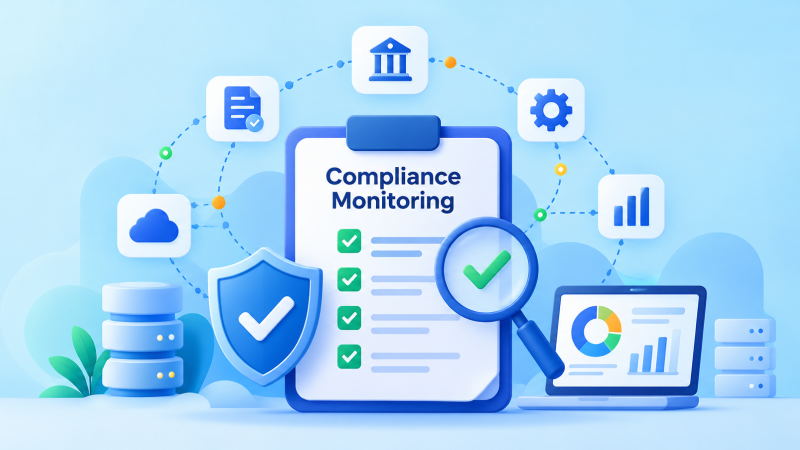
Compliance Monitoring in 2026: Know What Is Working

Your access policy says former employees lose production access promptly. The tickets are closed. But an account review finds an active contractor identity nobody has checked in months. Which record should the team trust?

This is why compliance monitoring matters. A written policy and a completed workflow describe the intended process. Monitoring tests whether the control covers the people, systems and data it should cover today. When it finds a gap, the team needs to know who owns it and whether the fix worked.

In 2026, cloud services, identities and integrations change too quickly for an annual evidence chase. Here is how continuous compliance monitoring works and how to choose supporting tools.

What is compliance monitoring?

Compliance monitoring is the recurring check that an organization is meeting defined requirements and that the related controls operate as intended. A requirement may come from a regulation, contract, security standard or internal policy. Each check needs a scope, evidence source, expected result, owner and response when the result is wrong or missing.

“MFA is enabled” is hard to test. Ask whether every in-scope privileged account on production systems has the approved authentication method. Record the account population, protected accounts, exceptions, gaps and data collection time.

Monitoring helps the organization address gaps during operations. A compliance audit examines control design and evidence for a defined scope and period. A SOC 2 Type 2 examination considers how controls operated over an examination period. Monitoring supports that evidence but does not replace independent assessment.

What should a compliance monitoring program contain?

Control mapping across frameworks

Begin with a list of controls the organization actually operates. For each one, state the objective, systems and people in scope, control owner, applicable requirement and evidence source. Map the same operation to more than one framework when it truly supports each one, while preserving the differences in scope and criteria.

An access review might support both ISO 27001 and SOC 2 without proving every requirement in either. Mapping controls across frameworks reduces duplicate work where evidence genuinely overlaps.

Automated control testing with human review

Some checks can be automated from identity, cloud or security systems. Others need a person to assess a decision, interview an owner or inspect a sample. Use automation for repeatable facts such as whether required logging is enabled on all in-scope resources. Use human review when the question is whether an exception is justified or an incident response decision was appropriate.

Set a pass condition before collecting data. For a backup control, “job completed” and “service can be restored within its recovery target” are different tests. For a vulnerability control, the scan status, asset coverage and overdue critical findings are separate signals. Keep those differences visible in the monitoring design.

Evidence collection with time and scope

Evidence should explain what was checked, when, for which assets or people, against which expected result, and what the outcome was. A screenshot without a date or system boundary may be difficult to use. A raw log without an explanation may leave a reviewer to reconstruct the conclusion.

Keep the link between a control result and its original source. If the source stops sending data, the monitoring result should become “unknown” or an investigation item rather than silently remaining green. Define how long evidence must be retained according to the applicable obligation and the period you need to demonstrate.

Alerts, ownership and remediation

A failed check should reach someone who can investigate and act. The record should show the affected asset, severity, owner, due date, decision, fix and recheck. An approved exception may be appropriate, but it needs a reason, an expiry or review point, and visibility into the remaining risk.

Closing a ticket is not the same as confirming a control recovered. After the change, run the relevant test again and record the result. This matters when several teams share responsibility across IT, security, engineering and GRC.

Reporting that supports decisions

Leaders need to know where important controls are incomplete and whether the team is reducing the gap. Useful reporting shows the in-scope population, coverage, failed tests, approved exceptions, aging remediation and trends. A simple count of completed checks can hide a critical service that was never included.

Make reports fit the audience. A control owner needs affected assets and next steps. GRC needs requirement mapping and evidence history. Leadership needs material risks and decisions. An assessor needs traceable records for the agreed scope and period.

Six compliance monitoring best practices for 2026

1. Start with a reliable scope

A control cannot be monitored meaningfully if no one knows which systems or accounts it should cover. Use a current asset or identity inventory, identify critical services and document exclusions. Reconcile monitoring sources with that inventory so newly created cloud resources do not disappear from the denominator.

For a privileged access check, coverage means protected privileged accounts divided by all in-scope privileged accounts. If the inventory misses service accounts, a high percentage can be misleading. Record both the percentage and the uncovered population.

2. Assign owners before adding alerts

Name the person or team that operates each control and the one that reviews its results. Agree on who accepts exceptions and who verifies remediation. The GRC team can coordinate the program, but it cannot fix every cloud setting, revoke every account or retest every recovery process itself.

If ownership spans teams, document the handoff. A cloud engineer may correct a setting, while security validates the result and a risk owner decides whether a temporary exception is acceptable.

3. Set monitoring frequency by risk and evidence freshness

There is no universal rule that every control must be checked daily or every vendor quarterly. Choose a cadence based on how fast the underlying state can change, the impact of failure, the available data and any specific requirement that applies.

Privilege or critical cloud configuration changes may justify frequent checks. A management review may run less often because the decision itself occurs on a schedule. Record the cadence, the age of the latest result and what happens when a check does not run. A tool that refreshes weekly should not be presented as a live view of today’s state.

4. Connect changes to the controls they affect

A new application, region, identity provider or vendor can change the monitoring scope. Include control coverage in onboarding and change reviews. After a material production change, recheck the controls most likely to be affected rather than assuming the original approval proves their current state.

For instance, a new cloud account may need to be added to logging, backup and access checks. ISO 27001 change management is one way to make the review and the resulting verification explicit.

5. Treat missing evidence as a signal

The absence of a failure alert does not prove a control passed. A connector may stop reporting, a scheduled test may be skipped, or the inventory may no longer match reality. Monitor the health of evidence sources and distinguish “passed,” “failed,” “not tested” and “not in scope.”

When a source fails, identify the period affected and decide whether an alternative check is needed. Preserve the gap and the response in the record. A credible monitoring history includes what the team could not verify.

6. Recheck after remediation

Make closure depend on a new result for the affected population. If MFA was missing on four privileged accounts, verify those four and look for the same cause elsewhere. If backup coverage missed a database, confirm the job now runs and test recovery where appropriate.

This is the difference between collecting exceptions and building continuous assurance. The team learns whether the control was restored and whether the risk actually changed.

Which compliance monitoring tools do you need?

Different tools answer different parts of the question. Choose them around the controls and decisions your program needs, not the size of a feature list.

Tool categoryWhat it can contributeWhat you still need to check
Identity, endpoint and cloud systemsCurrent settings, account populations, asset state and technical eventsWhether every in-scope environment is connected and the data is fresh
Security posture and detection toolsMisconfigurations, exposures and operational alertsWhether findings map to control objectives, owners and evidence periods
ITSM and workflow toolsAssigned fixes, approvals, exceptions and closure historyWhether closing work includes a control recheck
GRC and control monitoring toolsRequirement mapping, evidence, testing results and reportingWhether connections, scopes, tests and exception decisions match your program
Document and collaboration toolsPolicies, review minutes and human decisionsWhether records are versioned, dated and linked to operational results

Ask a vendor to demonstrate one real control: asset population, source freshness, failure, owner, exception, retest and report. A tool that only shows a policy exists cannot show whether it covers the right assets.

Check access to evidence as well. The platform may connect to sensitive security systems, so permissions, retention and audit trails matter. Understand which integrations are supported for your environment and what must remain a manual review. No product can infer every regulatory obligation or approve every risk decision for your organization.

How should teams use AI in monitoring?

AI can help group similar findings, summarize evidence and identify patterns that deserve investigation. It may help a team spot a rising trend in privileged exceptions or recurring failures after deployments. These uses still depend on accurate source data and a human who can test the conclusion.

Avoid treating generated explanations as evidence that a control passed. Record the underlying source, calculation and reviewer decision. If customer or employee information is sent to an AI service, assess its data handling, access, retention and contractual terms before connecting it to the workflow.

How SPOG.AI fits into the program

SPOG.AI brings security and IT signals into governance context so teams can relate assets, controls, risks, exceptions and remediation. A control view can show the intended population, observed coverage and gaps that need an owner. The operational systems remain the sources of the evidence and the teams remain responsible for interpreting and acting on it.

For example, a company may know it deployed endpoint protection to most laptops. Monitoring becomes useful when it shows the complete laptop population, unprotected devices, any approved exceptions and whether remediation returned those devices to the expected state. That is a more actionable answer than “the endpoint tool is installed.”

The same pattern applies across identity, vulnerability management, logging and backup. Build the checks around the controls that matter, connect them to reliable evidence, and give every unresolved result an owner. In 2026, that is what turns compliance monitoring into a routine the business can use between audits.

Can You Restore It? A Backup Checklist for Security Teams

The backup dashboard is green. A customer asks how quickly a critical service can be restored after an outage. The team finds the latest backup, but no record of a successful restore. The backup exists; the answer is still uncertain.

That gap is why backup compliance needs more than a schedule and a screenshot. Security and compliance teams need to know which services are protected, how much data could be lost, how long recovery could take, whether the backup survives a cyber incident and what happened during the last test.

This backup checklist works through three practical questions: What should be backed up? How often should it run? How can you prove recovery works? It is designed for teams managing ISO 27001, SOC 2 or other relevant assurance needs in 2026.

What should a backup program protect?

Start with the business service, not just its main database. A customer application may depend on application data, identity settings, infrastructure configuration, encryption keys, certificates and integrations. Restoring yesterday’s database will not bring the service back if the team cannot rebuild its environment or recover the secrets needed to start it.

List the components needed to restore each important service. Record where each one is protected and who can perform the recovery. Common categories include:

  • Business data: Production databases, files, transactions and customer records needed to resume the service.
  • System and application state: Configurations, virtual machines, containers or deployable images where these are needed for recovery.
  • Identity and access settings: Directory or identity configurations, roles and access policies that might be difficult to recreate safely.
  • Build and infrastructure definitions: Code repositories, infrastructure as code, deployment settings and documentation needed to rebuild.
  • Recovery dependencies: Keys, certificates and secrets, handled through appropriate secure recovery processes rather than casually copied into a backup store.
  • Required records: Logs, audit trails and other information that must remain available for investigation, operations or a defined retention obligation.

Not every component needs the same type of backup. A repository may already have a controlled recovery mechanism. A managed service may offer snapshots but require you to enable or configure them. A SaaS contract may define what the provider restores and what remains the customer’s responsibility. Check those arrangements rather than assuming the word “cloud” settles the question.

The most useful output is a service-to-backup map. For each critical service, show its important components, backup method, owner, recovery target and last tested result. This makes missing dependencies visible before an incident.

How often should backups run?

There is no single schedule that fits every organization and every system. Decide frequency from the impact of losing recent data and from any specific obligation that applies. The recovery point objective (RPO) is the point in time to which data needs to be recovered after an outage. If the approved RPO is four hours, the protection method must be capable of meeting that target under the expected failure conditions.

The recovery time objective (RTO) addresses how long the service can be in recovery before the disruption causes unacceptable harm. RPO and RTO answer different questions. Frequent backups can reduce potential data loss, but they do not guarantee a quick restore.

Consider two services. A billing platform that changes throughout the day may have a short RPO and require frequent snapshots or another suitable recovery method. An archive updated once a week may tolerate a longer interval. These are examples, not default schedules. The business owner and recovery team should agree on acceptable loss and downtime, then test whether the chosen design meets them.

Backups can also fail between scheduled runs. If an hourly job fails for half a day and no one notices, the latest usable copy may fall outside the RPO. Measure the age of the last successful, usable recovery point, not just the interval configured in a policy.

A practical backup control checklist

Use the questions below to review a service with its owner and backup operator. An unchecked answer becomes an action, with an owner and a date.

CheckQuestion the team should answerUseful evidence
ScopeDo backups cover each component needed to recover the service?Service inventory mapped to backup jobs or other recovery methods
FrequencyCan the most recent usable copy meet the approved RPO?Schedules, successful run history and recovery point age
RetentionAre copies kept for the period the organization needs?Approved retention setting and actual recovery points
ProtectionCould one compromised administrator delete production and every backup?Access rights, separation, offline or immutable copy settings
MonitoringDoes someone learn when a job fails or a source stops reporting?Alerts, review records and assigned follow-up
RestoreCan the team recover the data and the service within the intended window?Restore test, result and measured recovery time
ChangeIs backup coverage checked when a new system or data flow is added?Change record, owner review and updated scope

A backup job may pass one check and fail another. For example, it may complete every night but omit a newly created storage location. Treat coverage, job health, protection and restore results as separate questions.

How do you protect backups from the incident itself?

Recovery copies need protection from accidental deletion and malicious change. Ransomware can target online backups and the credentials that administer them. For critical data, consider an offline copy, immutable storage or another protected copy appropriate to the environment. Restrict who can change retention, delete recovery points or disable jobs. Protect backup credentials and encryption keys.

Test the isolation assumption. If the same account can administer production and remove every backup, one compromised account can defeat the recovery plan. A separate storage location alone may not help if the same permissions follow it.

What does a restore test need to prove?

A successful backup job shows that the job ran. A restore test checks whether the copy can be used. Start with one service and define the scenario: a deleted file, a failed database, a compromised server or a whole service unavailable. Pick a scenario that exercises the dependencies that matter.

Record the recovery point chosen, the person running the test, the environment used, the time taken and whether the restored data was correct. A technically completed restore is not enough if an application cannot read the data, a required identity configuration is missing or the result exceeds the RTO.

Tests should fit the importance and complexity of the service. A file-level restore may be appropriate for a narrow check. A critical service also needs an exercise that shows its components work together. When a test fails, identify the cause, assign a fix and repeat the relevant check. Keep the failed result in the record so the improvement can be traced.

Do not assume a fixed six-month test interval is required by every framework. Set a risk-based schedule, follow applicable obligations and test again when material changes affect the recovery design.

What counts as proof for an audit or customer review?

Start with the requirement and its scope. For an ISO 27001 information security management system, the organization selects necessary controls through risk treatment and documents them in the Statement of Applicability. Backup is addressed in Annex A control 8.13 of the current edition. For SOC 2, the evidence should match the system, selected criteria and examination period. A regulator or contract may add specific expectations.

Useful backup audit evidence shows four things together: the intended scope, the actual backup runs, how failures were handled and what happened in a restore test. It should have dates, named owners and links to the service or assets concerned.

A screenshot of a scheduled job can show configuration at one moment. It does not establish that every expected job ran throughout a period or that the data was recoverable. A better evidence trail connects the backup inventory to job history, alerts, tickets, restore tests and closure of exceptions.

Avoid promising a 100% job success rate as if every missed run were automatically a failed audit. The meaningful question is whether failures were detected, investigated and resolved in time to meet the organization’s recovery needs. Show the gap and the response honestly.

Where backup programs usually break

A new service is never added. An application owner deploys a new database, but its backup job is not in the original plan. Include backup coverage in onboarding and change reviews.

The job runs, but no one can restore the service. A restore test uncovers missing keys or configuration. Keep recovery dependencies in the service map and retest after the fix.

A failed job sits unseen. Alerts reach a mailbox with no clear owner. Give critical failures a response target, an escalation route and a way to confirm a usable recovery point exists.

Copies share the same weakness. One compromised identity can remove production data and every available backup. Review permissions, storage separation and protected copies.

Evidence is assembled at the last minute. The team has job logs but cannot tell which assets they cover or which failures were accepted. Connect the records during normal operations, not only when an audit begins.

How SPOG.AI helps teams see the backup control

Backup operations often sit in one system while the service inventory, incidents and risk decisions sit elsewhere. SPOG.AI’s continuous control monitoring approach connects defined controls to operational evidence so teams can see coverage, failed checks and follow-up across connected systems. Its governance and risk capabilities can relate those results to assets, owners, exceptions and remediation.

For a backup control, that means asking whether each critical service has the intended protection, when the last usable copy was created, what failed and who is fixing it. The backup and recovery tools still perform the jobs and restores. A connected control view helps the team understand whether the coverage and evidence support the decision it needs to make.

In 2026, the practical standard is simple: know what you must recover, set targets that reflect the business, protect the recovery copies and demonstrate that a restore worked. If a service cannot pass that test, the next step is an owned action, not a green dashboard.

How Mid-Market Teams Can Make Security Governance Work on a Budget

Your company already has an identity tool, a cloud platform, endpoint protection and a ticketing system. Yet when a customer asks whether every administrator has multifactor authentication, the team spends days gathering screenshots. The tools contain the answer, but no one has checked whether they cover all the right accounts.

This is a common security governance problem for mid-market teams. A small group needs to answer customer questions, prepare for audits, track vendors and help leaders understand risk. Hiring a separate owner for every task is rarely practical. Building a longer policy library does not solve the problem either.

A useful GRC program connects five things: the requirement, the control, the systems it covers, the evidence of how it works and the person who acts when it fails. This article shows how to make those connections with limited time and budget.

What is security governance for a mid-market company?

Security governance is how an organization decides what it must protect, who is responsible and how it checks that its safeguards work. It includes policies and risk reviews, but it also includes daily decisions: removing access after a departure, investigating a failed backup or accepting a temporary exception.

For a lean team, the aim is a routine people can follow. A control owner knows the expected result and evidence source. A risk owner knows when a gap needs a decision. Leadership sees which important services are affected.

The first budget decision is about scope. What must the team do now?

Choose requirements that actually apply

Start with your products, customers, legal entities and locations. Then list the commitments that apply to each. A service company may need a SOC 2 report for a customer contract. Another may choose ISO 27001 certification. A regulated financial institution may have requirements from its supervisor. These are different paths, with different scopes and evidence needs.

Do not pick a framework simply because another company uses it. Equally, do not place an applicable regulatory duty behind a voluntary project because the certification has more marketing value. The team should first establish which obligations are mandatory, which customer promises are already in place and which assurance work it has chosen to pursue.

For SPOG.AI’s focus areas, that may mean ISO 27001, SOC 2, or specific RBI, SAMA or SEBI CSCRF requirements for entities they cover. NCIIPC-related duties concern designated critical information infrastructure or protected systems in India; UAE information assurance requirements depend on the relevant entity and authority. None of these labels applies to every mid-market company. Check the actual scope before mapping a control to it.

A one-page register is enough to begin. Record why each requirement applies, which service it affects, its owner and its next review date.

Reuse a control, but check each obligation

Many requirements ask for related outcomes. An access review may support both an ISO 27001 information security management system and a SOC 2 examination. The team can operate one clear review process and retain one set of source records, then map those records to both requirements where appropriate.

Reuse saves work only when the evidence fits each scope and period. A SOC 2 report may cover a defined service over a particular examination period. An ISO 27001 scope may include different teams or sites. A regulator may ask for a specific approval or reporting step. One access review cannot prove coverage that it never tested.

Build a short control record before making mappings. It should state:

  • What the control is meant to achieve
  • Which people, assets or services it covers
  • Who operates and reviews it
  • What evidence comes from the source system
  • How failures and approved exceptions are handled

Take MFA as an example. “MFA is enabled” is a starting statement. A better control record names the in-scope accounts, checks which ones are protected, identifies exclusions and records what happens to accounts that fail the test. That one verified control can be reused more safely than several copied policy paragraphs.

Give each gap a real owner

Small GRC teams often become the default owners of work they cannot perform. A coordinator can track an overdue access review, but the application owner knows who still needs access. An identity administrator can remove an account. A business leader may need to accept a short-term risk if the access cannot be removed at once.

Write down these decision rights. For a material gap, identify who investigates it, who fixes it and who may approve an exception. If the named owner leaves, appoint a replacement. A shared inbox or a field marked “security team” is not enough when the deadline arrives.

Suppose a contractor’s privileged account remains active after the contract ends. The GRC lead sees the gap. The contract owner confirms the end date. IT disables the account. The service owner checks whether any dependent work will break. The record closes when someone verifies the access is gone, not when an email says the request was sent.

Get more value from the tools you already pay for

Before buying a GRC platform or hiring another analyst, make a list of your current evidence sources. Identity systems show accounts and authentication settings. Cloud systems show configurations. Endpoint tools show protected devices. Ticketing systems show approved changes and assigned fixes. Backup tools show jobs and recovery tests.

Ask two questions of each source: What does it actually show, and what does it miss? A dashboard reporting 100% endpoint coverage may be using the endpoint tool’s own device list. If the company asset inventory includes devices the endpoint tool has never seen, the dashboard can look clean while protection is incomplete.

Do one manual check on a high-value control to learn the data problem. Compare the asset list with the endpoint list, or the privileged account list with PAM coverage. Keep the mismatches. They tell you whether the next investment should be a better inventory, an integration, an owner or a remediation workflow.

Automate the repeatable work

Compliance automation can reduce the time spent exporting reports, requesting screenshots and reminding people about reviews. It works best when a check has a defined scope and an expected result. For example, a daily comparison can flag new privileged accounts that are outside PAM. A scheduled review can show which critical backup jobs failed.

Automate in this order: define the control, confirm the source data, assign the owner, then set up the test and the response. If you connect a tool before agreeing on scope, it may produce a neat chart for the wrong population.

Some decisions still need people. A failed endpoint check on a test laptop and one on a critical production server should not receive the same response simply because the technical signal is identical. Someone must understand the affected service, other safeguards and the time available to fix the gap.

The result of a useful automated check is an action with evidence, a named owner and a way to verify closure. An alert with no route to a decision only creates more work.

Measure whether controls work across the whole scope

A control can exist and still miss important assets. Consider a company with 100 privileged accounts. Its PAM tool covers 94. Four accounts have approved exceptions with review dates. Two remain outside the tool with no approved reason. The team should see the 94% coverage, the four known exceptions and the two unexplained gaps separately.

The next question is which of those two accounts can reach critical systems. That is the difference between counting compliance tasks and understanding risk. The same approach works for MFA, endpoint protection, patching, logging and backups.

ControlSimple statusMore useful answer
MFAEnabledWhich in-scope accounts are protected, and which are not?
Endpoint protectionInstalledWhich devices in the asset inventory are missing an active agent?
BackupsScheduledWhich critical services have a recent successful restore test?
Vulnerability treatmentTickets openWhich exposed, critical assets still need a fix or decision?

Set thresholds based on the risk of the service and the quality of your data. Report the number checked as well as the percentage that passed. If the inventory is incomplete, say so. It is better to show a known blind spot than to report a perfect number that nobody can trust.

Spend carefully when buying help or software

A vendor demo should answer a real question from your environment. Give the vendor one control, its expected population and a sample gap. Ask how the product connects to the source, shows missing assets, assigns the issue, records an exception and proves the fix worked.

Compare the full cost over time. Include the license, implementation, integrations, support, extra modules and the hours your team will still spend reviewing results. A low first-year price may be less useful than a tool that fits the workflows your people can sustain.

Use outside specialists for work where expertise changes the outcome, such as confirming the scope of a regulation or reviewing a certification plan. Keep routine control ownership inside the teams that operate the systems. A consultant can design a review, but the application owner still needs to perform it after the project ends.

Free guidance and existing platform features can help the team get started. Templates are useful as prompts, but policies should describe what your organization actually does. A copied procedure can add work if staff cannot follow it.

Show leadership what the budget achieved

Do not rely on generic claims that automation saves a fixed percentage of audit time. Measure your own baseline. How long did the last access review take? How many auditor questions needed manual evidence gathering? How long did a material control failure remain unassigned?

After changing the process, compare the same measures. Also track overdue actions affecting critical services, exceptions past their review date and controls whose evidence has stopped arriving. This makes the spending case more credible than a count of policies completed or dashboard tiles created.

Start small. One useful management view may show five priority controls, their coverage, their open gaps and the next decision. Add controls when the team can keep the first set current.

How SPOG.AI can help a lean GRC team

SPOG.AI’s governance and risk capabilities connect requirements, controls, owners, evidence and remediation across existing systems. Its continuous control monitoring approach helps show whether a defined control covers the intended environment and where its state has changed.

For a mid-market team, that connection matters when a control fails. Instead of passing a spreadsheet between security, IT and the risk owner, the team can relate the finding to the affected asset and service, record the decision and check the result after a fix. The organization still chooses its requirements, owners and acceptable risk.